How to Find Hidden Cameras in a Hotel Room, Rental or Car
Where hidden cameras and bugs sit in hotel rooms, rentals, changing rooms and cars, how to find them with a torch, your phone, the Wi-Fi client list and a Bluetooth scan, and what to do if you find one.
A hidden camera has to see the thing it was put there for, and it needs power. Those two facts decide where it hides and how you find it. This guide covers the places to look in a hotel room, a short-term rental, a changing room and a car, the checks that find a camera that is switched on, and what to do once you find one.
The room sweep checklist has the checks below for hotel rooms, rentals, bathrooms, offices and cars. You tick and flag each one, add notes and print the record. It saves to your device only.
Where hidden cameras are placed
Start from the targets. In a bedroom the camera wants the bed; in a bathroom, the shower and toilet; in a changing room, the bench and mirror. Stand where you would be most exposed, look around, and list every object with a clear line of sight to you. Those objects are your search list.
The disguises are objects a guest expects to see and never handles:
| Object | Why it works | What to look for |
|---|---|---|
| Smoke detector | High, central, wide view, nobody touches it | A pinhole lens on the face or side; a detector in a bathroom or a second one in a small room |
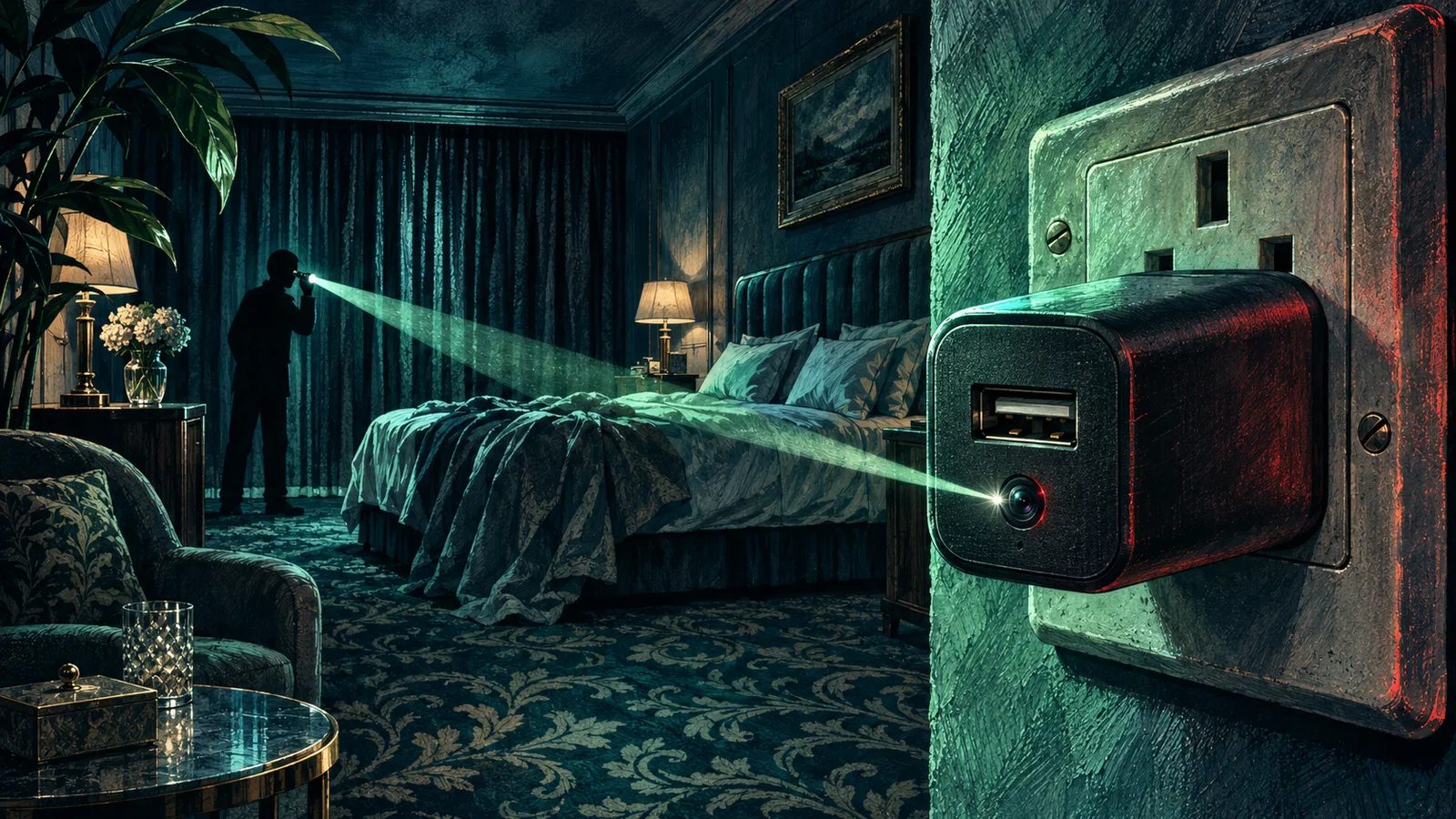
| USB charger or power adapter | Mains power, plausibly left behind | A dark dot on the face; a charger that is warm with nothing plugged in |
| Alarm clock, radio, speaker | Faces the bed by design | A lens behind the display glass or grille |
| Air purifier, fan, humidifier | Power, vents to hide a lens, often aimed at the bed | A hole in the grille that does not match the others |
| Picture frame, wall art | Covers a hole in the wall | A frame that does not sit flat; a hole in the image |
| TV box, router, set-top box | Power and network already there | An extra lens or a box that is unusual for the room |
| Tissue box, book, decor | Can be placed anywhere | Weight or a cable where none belongs |
| Wall socket, light switch, vent, screw head | Flush with the wall | A dark centre in a screw; a vent facing the shower |
Pinhole lenses are 1 to 3 mm across, so look for a dark, perfectly round dot with a glassy centre. A device that has to run for days is plugged in, so follow cables and check what is drawing power. Battery cameras last hours to a few days, which puts them in places someone visits often, such as a staff-access bathroom or a changing room.
Smart displays (Echo Show, Nest Hub and similar) have cameras that face the room. On a rental's smart display, open its camera or home monitoring view to see what else is linked; if you would rather not trust it, unplug it while you stay.
The torch sweep: find a lens by its glint
A camera lens and the sensor behind it reflect light back along the path it came in on, the same way a cat's eye does. That gives a lens a sharp, steady pinpoint of reflection that most surfaces lack.
- Turn off the lights and close the curtains. The darker the room, the brighter the glint.
- Hold a torch (your phone's light works) against your cheek, beside your eye, so you look along the beam.
- Sweep each object on your search list slowly, from more than one angle. Kneel and stand: a lens aimed at the bed may only glint from bed height.
- A lens shows as a tiny point that stays lit as you shift your head a little. Glitter, screws and LED faces scatter light or flicker out.
Your phone camera can do the same job with a record you can keep. The lens finder uses the camera and torch, or a flash photo, to rank every glint in frame by how lens-like it behaves, and logs the spots you mark. It runs in the browser and sends nothing.
Expect false positives. Inspect each candidate closely with the torch: a lens has a round dark centre and often a visible sensor behind it.
Infrared: see the night vision LEDs
Cameras that film in the dark light the room with infrared LEDs, usually around 850 nm or 940 nm. At 850 nm many people see a faint red glow if they look straight at the LEDs. At 940 nm the eye sees nothing at all.
Many phone cameras can see it. Rear cameras usually have a strong infrared filter; front (selfie) cameras on many phones have a weaker one.
- Test your phone first. Point a TV remote at the front camera and press a button. If you see a flashing white or purple light on screen, that camera shows infrared. If not, try the rear camera. If neither camera shows the remote's LED, your phone cannot do this check.
- Darken the room and pan the phone across your search list.
- A ring or cluster of small glowing dots, often around a central lens, is a night vision camera with its illuminator on.
An infrared camera only lights its LEDs when it decides the room is dark, and some disable them entirely. A clean infrared sweep tells you about cameras using night vision at that moment.
The network: list what is connected
Most consumer spy cameras are Wi-Fi cameras that stream to an app. While they are connected, they appear as clients on a network.
If you can see a client list, read it. Only log in to a router you own; in a rental, ask the host for the connected devices list, or run a network scanner app (such as Fing) on the guest Wi-Fi you were given, which lists the devices that answer on that network. Every client has a MAC address, and its first three bytes, the OUI, are registered to the manufacturer. The MAC address lookup takes a pasted client list, arp -a or ip neigh output and names each device by vendor, flagging camera, microphone and wearable makers. The lookup runs in your browser and the list never leaves your device.
Read the result with two facts in mind:
- Phones, tablets and laptops hide their real MAC. iOS and Android use a random, locally administered address per network by default, and Windows and macOS can do the same when the setting is on, so no vendor comes back. Cameras almost always use their factory address, so a camera maker's OUI is a strong lead.
- Count the devices. In a one-bedroom rental, a router, a smart TV and your own devices are normal. A device from a camera or module maker that matches nothing you can see is worth finding.
If you are on hotel Wi-Fi, scanning apps will show you very little. Hotel networks normally use client isolation, so guests cannot see each other's devices or the hotel's. A host who hides a camera can also put it on a second network, a phone hotspot or a 4G SIM. Look at the list of nearby network names too: a camera that has lost its connection or is in setup mode often broadcasts its own network, typically a model code or a long random string with a strong signal inside your room.
For more on hardening the devices you own on these networks, see securing IoT devices and public Wi-Fi safety.
To check what your own cameras expose to the internet, use the IP camera exposure probe.
Bluetooth scan
Many cameras, trackers and audio bugs use Bluetooth Low Energy for setup or as their only link. A BLE scanner app (nRF Connect is a free, common one) lists nearby devices with their names, signal strength and sometimes the maker.
- Walk the room and watch the signal strength (RSSI). A device that grows stronger as you approach one object is inside or near it.
- Names that read like camera models, "IPC", "CAM" or a bare string of characters deserve a look; your own earbuds and watch do not.
- iOS and Android both warn you about an unknown AirTag-style tracker travelling with you, which matters most in a car. See Bluetooth security for how BLE advertising works.
A Bluetooth scan has the same limit as a network scan: a device shows up only while it is advertising.
RF detectors and their limits
A handheld RF detector beeps when it picks up radio energy in a frequency band. It finds a wireless camera while that camera is transmitting, and an audio bug that broadcasts.
It also beeps at your phone, the room's Wi-Fi access point, the smart TV, the neighbour's router and the mobile tower outside. In a hotel, the noise floor is high everywhere. To get anything useful:
- Put your own phone in airplane mode and switch off your other devices.
- Find the background level in the middle of the room.
- Bring the detector within a few centimetres of each object on your search list. Look for a sharp rise at one object.
Many Wi-Fi cameras upload in bursts, or only when they detect motion, so a camera can sit silent while you sweep past it. Check the stated frequency range: some cheap detectors are rated below the 5 GHz Wi-Fi band and miss cameras that use it. Professional sweeps add nonlinear junction detectors, which find electronic components whether or not they are powered, but those cost thousands and need training.
Magnetometer apps
Every phone has a magnetometer for its compass. Magnetometer apps show the field strength, and a spike near an object can point to a magnet or a speaker. Many hidden camera mounts and some cases use magnets.
Steel in the wall, bed frame, wiring and the phone's own case all move the reading. A spike shows where a magnet or metal is and says nothing about whether a camera is there. The magnetic field detector records readings against a reference so you can compare spots in the same room, which is the most a magnetometer can do. Use it as a cue to look closer with the torch.
Ultrasonic beacons
An ultrasonic beacon is a tone around 18 to 20 kHz, played by a TV advert or speaker, that an app on your phone hears to link your devices; in March 2016 the US Federal Trade Commission warned 12 app developers whose apps appeared to include SilverPush code that listened for such beacons. Beacons record nothing of the room, and the ultrasonic beacon detector checks for them with your microphone.
Smart glasses that record
Cameras now also walk in on people's faces. AI glasses from Meta, Xiaomi, Alibaba, Rokid and others carry a 12MP camera in a front corner of the frame and a small capture LED that some models fail to enforce. In a changing room, gym or clinic, glasses are the camera most likely to be pointed at you.
The smart glasses camera guide identifies a pair from the cues you noticed, and how to tell if smart glasses are recording covers the recording light and which models keep filming with it covered.
Rentals, hotels, changing rooms and cars
Short-term rentals. Read the listing before you book. Airbnb has prohibited indoor security cameras and recording devices in every listing worldwide since 30 April 2024, including ones that are switched off or disclosed, and including the common areas of private room listings. Outdoor cameras are allowed if the host discloses them and their location, and they may not watch an enclosed outdoor shower or sauna. Noise monitors that measure decibel levels without recording audio are allowed if disclosed, and not in bedrooms, bathrooms or sleeping areas. Vrbo bans cameras and audio recorders inside the unit (a multi-unit building may have security cameras in hallways, reception and lifts) and requires outdoor ones to be disclosed with their location and coverage. The one Airbnb exception is Japan, where hosts with a hotel business licence may be required to have a disclosed, video-only camera covering the interior entryway. Any other indoor camera in either platform's rental breaks the platform's rules, wherever local law stands.
Hotels. Lobbies, corridors and lifts have disclosed CCTV. The room does not. Spend most of your sweep on the bathroom and the wall facing the bed.
Changing rooms and toilets. You have a minute, so be quick and specific: look at the ceiling, hooks, vents, the gap under the partition and anything stuck to the wall at chest height. For mirrors, skip the fingernail test: ordinary mirrors can show no gap between nail and reflection too. Hold your phone torch flat against the mirror with the lights off. If you can see a space or a room behind the glass, it is two-way. A mirror that is set into the wall rather than hung on it is worth this check.
Cars. In a rental or a car you share, check the OBD-II port under the dashboard for a plug-in tracker, the underside of the bumpers and wheel arches for a magnetic GPS box, and the interior mirror and dashboard for a camera facing the cabin. Rideshare drivers in many places may run cabin dashcams, often with a sticker on the window; a camera you were never told about is a different matter. Your phone's unknown tracker alert covers AirTags and compatible tags; GPS trackers with their own SIM do not trigger it.
Sweep checklist
- Before booking, read the listing's camera and device disclosures.
- On arrival, before unpacking, list every object that can see the bed, shower, toilet and changing area.
- Inspect those objects closely: pinholes, cables, warm chargers, duplicated smoke detectors.
- Darken the room and do the torch sweep from standing and bed height.
- Scan with your phone's front camera for infrared LEDs.
- List nearby Wi-Fi networks and run any client list you can get (your own router, one from the host, or a scan of the guest network) through a MAC lookup.
- Run a Bluetooth scan and walk toward any unknown strong signal.
- Check mirrors with a torch held flat to the glass.
- Cover anything you suspect and leave it plugged in. Unplug only ordinary devices you have ruled out and do not need, such as a spare clock or charger.
- In a car, check the OBD-II port, bumpers, wheel arches and the cabin-facing side of the mirror.
What a sweep cannot find
A camera that is powered off, or one that writes to an SD card and never transmits, is invisible to every network, Bluetooth and RF check in this guide. A camera with its infrared LEDs off passes the infrared check. A lens behind tinted glass or a mesh may not glint. Only looking finds those: the object inspection in the first section and the torch sweep cover them, and the electronic checks add confidence on top. A thorough personal sweep takes 15 to 20 minutes per room and lowers the odds a great deal; it gives no guarantee.
If you find a camera
- Leave it where it is. Touching or unplugging it can destroy fingerprints and the recording, and moving it makes the location harder to prove. If it may have a motion alert, assume the owner can see you.
- Document it. Photograph and film the device in place, what it was aimed at, and the room around it, with timestamps. Note the address, room number and booking reference.
- Get safe. If you feel unsafe, leave and keep your booking records. Cover the device with a towel if you need to stay in the room until help arrives.
- Report it. Tell the hotel manager or host, report it through the booking platform (Airbnb and Vrbo both act on indoor cameras), and report it to the police. Police can seize the device and its storage, which is where the evidence is.
The law in brief
Filming someone in a place where they expect privacy, such as a bathroom, bedroom or changing room, falls under a criminal offence in most countries, though the elements differ.
| Jurisdiction | Main offence | Maximum penalty |
|---|---|---|
| Malaysia | Penal Code section 509, insulting modesty, which includes intruding on a person's privacy with that intent; applied to hidden filming, including of men | 5 years, a fine, or both |
| Singapore | Penal Code section 377BB, voyeurism | 2 years, a fine, caning, or any combination; jail is mandatory if the victim is under 14, and women cannot be caned |
| England and Wales | Sexual Offences Act 2003 section 67, voyeurism for sexual gratification; subsection (4) covers installing equipment to observe. Scotland: Sexual Offences (Scotland) Act 2009 section 9. Northern Ireland: Sexual Offences (NI) Order 2008 article 71 | 2 years |
| United States | 18 U.S.C. § 1801 covers only the special maritime and territorial jurisdiction (federal enclaves, US ships and aircraft); each state has its own voyeurism law covering hotels and homes | 1 year under § 1801; state penalties vary |
In England and Wales, the Crime and Policing Act 2026 (Schedule 13, paragraph 9) removes the recording limb of section 67, subsection (3), in favour of new intimate image offences; it was not in force at Royal Assent.
Malaysia also added a stalking offence, section 507A, in 2023, with up to three years in jail; reporting on the amendment said it reaches people who place hidden cameras to record a victim. For the wider question of when monitoring another person is lawful, see is it legal to spy on someone. Penalties and coverage change; a lawyer or the police where you are can give you the current position.
If you suspect the surveillance is on your phone instead of in your room, how to detect stalkerware covers the Android and iOS checks.
Related guides
Sources & further reading
- Airbnb's policy on use of cameras and recording devices (Airbnb)
- An update on our policy on security cameras (Airbnb Newsroom)
- Use of surveillance policy (Expedia Group (Vrbo))
- FTC issues warning letters to app developers using Silverpush code (Federal Trade Commission)
- Sexual Offences Act 2003, section 67: Voyeurism (legislation.gov.uk)
- Crime and Policing Act 2026, Schedule 13, paragraph 9 (legislation.gov.uk)
- 18 U.S. Code § 1801: Video voyeurism (Cornell Legal Information Institute)
- Five men to be charged with voyeurism (Singapore Police Force)
- Accountant fined RM3,300 for secretly filming male housemate in shower (The Vibes)
- Stamping out stalkers and spycams (The Star)