Port Scanning: SYN, Connect & UDP Scans
How port scanning works, the difference between SYN, connect, and UDP scans, what the scan looks like from the defender's side, and how to detect it.
Before anyone breaks into a system, they figure out what is there. On a network, that starts with a port scan. A scanner sends carefully shaped packets to a range of ports on a target and reads the replies to build a map: this port is open and running a service, that one is closed, this other one is silently filtered by a firewall. It is the network equivalent of walking a building and noting which doors are unlocked, which are locked, and which are welded shut.
Scanning is the opening move of most intrusions and a routine part of legitimate security work. On the ATT&CK matrix it is Network Service Discovery (T1046). Understanding how the common scan types work, and what each one looks like from the defender's chair, is the difference between noticing reconnaissance early and finding out only after the follow-on attack.
Ports and the three states that matter
A port is a numbered endpoint on a host where a service listens. A web server listens on port 443, an SSH server on port 22, and so on. Scanning a host means asking each port how it responds, and sorting the answers into three states:
- Open. A service is listening and accepting connections. This is a live door and the most interesting result.
- Closed. No service is listening, but the host is reachable and actively refuses the probe. The door is there but locked.
- Filtered. No clear answer comes back, usually because a firewall is dropping the probe silently. You cannot tell whether a service is behind it, which is the point of filtering.
The difference between closed and filtered is quietly valuable. Closed ports mean the host answers but nothing is home; filtered ports mean something is deliberately blocking the view, which reveals where the firewalls are. A scanner also uses these states to confirm a host is even alive. If every probe comes back filtered, the host might be down, heavily firewalled, or pretending not to exist, and the scanner has to decide which. That ambiguity is a small defensive win, because a target that gives clean, consistent answers is easier to map than one whose responses blur the line between closed and simply unreachable.
How the TCP handshake sets up the scan types
Most scanning logic follows from how TCP starts a connection. The TCP handshake, defined in RFC 9293, is three steps: the client sends a SYN, the server replies with SYN-ACK if the port is open, and the client answers with ACK to complete the connection. A closed port answers a SYN with a RST, a reset, saying go away.
Scan types are mostly variations on how much of that handshake the scanner performs, and what it does with the answer.
SYN scan
The SYN scan, sometimes called a half-open scan, sends the opening SYN and then reads the reply without finishing the handshake.
- A SYN-ACK back means the port is open. The scanner immediately sends a RST to tear the half-built connection down instead of completing it.
- A RST back means the port is closed.
- No reply, even after retries, suggests the port is filtered.
Because it never completes the connection, the SYN scan is fast and, historically, less likely to be logged by the application listening on the port. It is the default for most serious scanning. It does require the ability to craft raw packets, which usually means elevated privileges on the scanning machine.
TCP connect scan
The connect scan completes the full three-way handshake by asking the operating system to actually open a connection, then closing it. It needs no special privileges, which is why it is used when raw packet crafting is not available.
The tradeoff is noise. Completing the handshake means the connection reaches the service, which can log it as a real, if immediately dropped, session. A host that logs connections sees a connect scan clearly. It is reliable and simple, and loud.
UDP scan
UDP has no handshake, which makes scanning it awkward. The scanner sends a UDP packet to a port and waits.
- A UDP reply from the service means the port is open, but many services do not reply to an empty probe.
- An ICMP port-unreachable message means the port is closed.
- Silence is ambiguous: the port could be open but not replying, or a firewall could be dropping both the probe and any ICMP response.
Because silence carries two meanings, UDP scanning is slow and uncertain. Scanners retransmit, rely on ICMP rate limits, and often need service-specific probes to get a definite answer. It still matters, because plenty of important services, DNS and SNMP among them, run over UDP.
Stealth variants and going deeper
Beyond the big three, scanners carry a set of stealth variants that send unusual TCP flag combinations, such as FIN, NULL, or Xmas scans, hoping a simple firewall or older stack answers in a way that reveals a port's state. These lean on how the TCP standard says a host should respond to unexpected flags, and their reliability varies by target, which is why they are situational rather than default. Finding an open port is only the first question. A scanner that wants more will follow up with version detection, sending probes that coax a service into revealing its software and version, and with operating-system fingerprinting that infers the host's platform from subtle differences in how it builds packets. That follow-up is where a bare list of open ports turns into a targeted list of specific software an attacker can look up known weaknesses for.
Attackers do not only care about open ports. A wall of filtered ports tells them where your firewalls are and how your segmentation is shaped, and a single closed port among filtered ones can reveal a host that is up when you hoped it looked dark. Reconnaissance reads your silences as carefully as your replies, so think about what your firewall's behaviour discloses as much as about what it blocks.
What each scan looks like to a defender
| Scan type | Handshake completed | Privilege needed | Noise level | Typical detection signal |
|---|---|---|---|---|
| SYN scan | No, half-open | Raw packets, usually root | Low to medium | Many SYNs, few completed sessions, from one source |
| TCP connect | Yes, full | None | High | Many short-lived completed connections logged by services |
| UDP scan | No handshake exists | Raw packets, usually root | Low but slow | Bursts of UDP probes and ICMP unreachable replies |
The common thread is the pattern. No single probe is alarming, one SYN to one port is just normal traffic. What gives a scan away is the shape: one source touching many ports, or many hosts, in a short window. Detection lives at the level of that pattern.
How defenders detect and blunt scanning
You cannot make a reachable host unscannable, so the goal is to see the reconnaissance and shrink what it can learn.
- Watch for the fan-out pattern. Alert when one source contacts an unusual number of ports or hosts in a short period. Intrusion detection systems and flow analysis are built for exactly this signature.
- Log and correlate connection attempts. A host that records connections, plus central correlation, turns a connect scan into an obvious event and helps spot the slower SYN and UDP sweeps.
- Shrink the attack surface. Close ports you do not need and firewall the rest. The fewer open ports, the less a scan reveals and the smaller the target for what comes next.
- Filter, and filter consistently. Drop probes to closed services silently rather than sending resets, and keep the behaviour uniform so a scanner cannot fingerprint gaps in your policy.
- Rate limit and tarpit where appropriate. Slowing responses to a suspected scanner raises the time cost of mapping you and buys detection time.
- Feed detections into intel. A scan is often the first visible touch of a larger operation. Our Exploit Intel feed tracks which services and ports are under active exploitation, so you can prioritise closing the doors that scanners are looking for right now.
The most useful port scan of your network is the one you run. Scanning your own external and internal ranges the way an attacker would, a practice NIST SP 800-115 describes as part of technical security assessment, shows you the exact attack surface a stranger sees. Anything open that you did not expect is a finding, and closing it removes a target before anyone else maps it.
A walkthrough of a single scan from both sides
Follow one probe from the moment a scanner decides to look. The scanner picks a target host and a set of ports, often the well-known range from 1 to 1024 plus a list of common service ports higher up. It begins by confirming the host is alive, a step called host discovery. A quick ICMP echo, or a TCP probe to a port that tends to answer, tells the scanner whether spending time on this address is worthwhile. Skipping dead hosts is what lets a scanner sweep a large range quickly, so this first step is about efficiency more than stealth.
Once the host looks alive, the scanner starts sending probes to the chosen ports. With a SYN scan it sends a bare SYN to each port and records the reply. Port 22 answers with a SYN-ACK, so the scanner marks it open and immediately sends a RST to abandon the half-built connection. Port 23 answers with a RST, so the scanner marks it closed. Port 445 sends nothing back at all, even after a retry or two, so the scanner marks it filtered and moves on. In a few seconds the scanner has a compact picture: two or three live services, a handful of closed ports, and a wall of silence where a firewall sits.
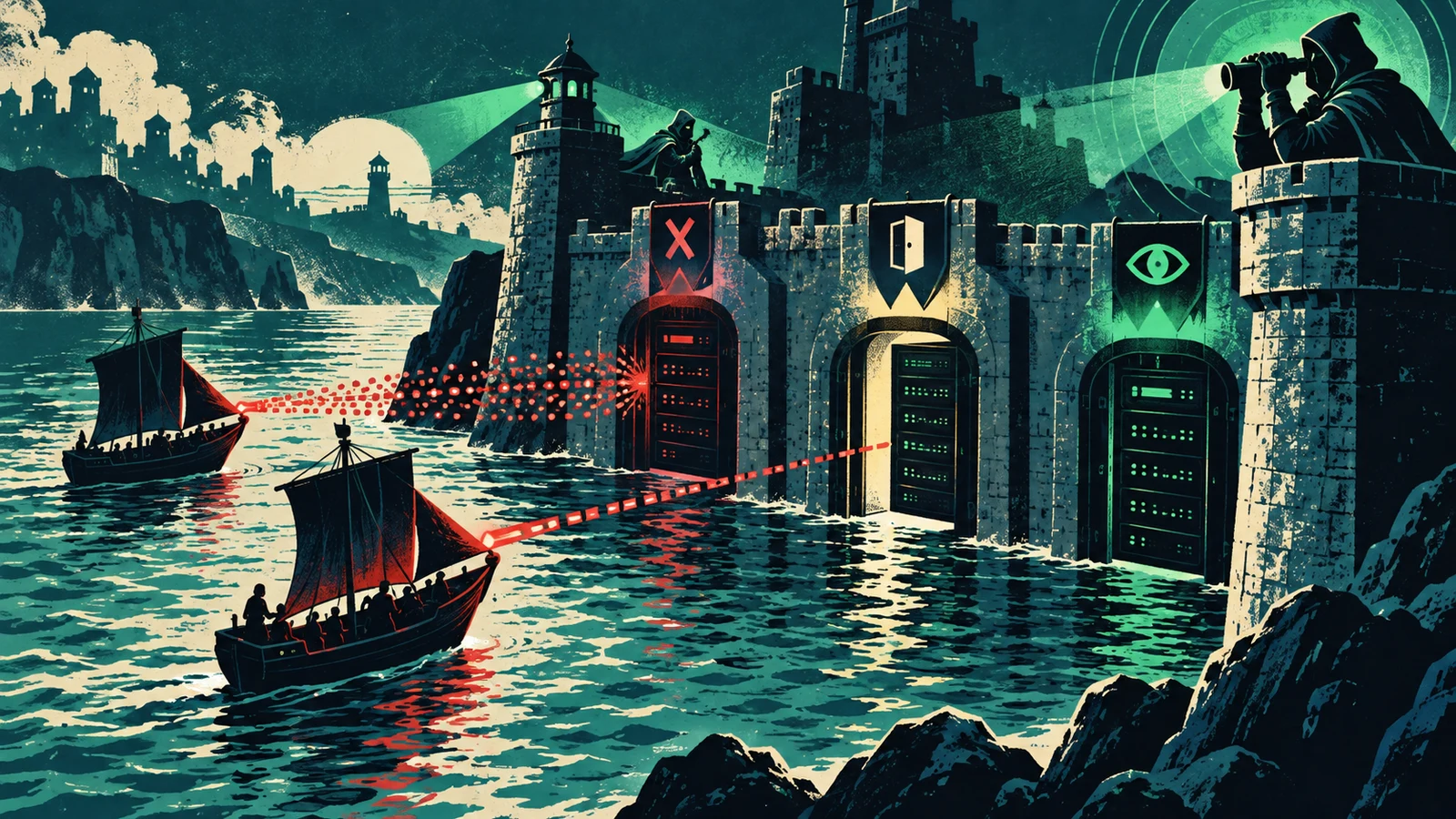
From the defender's side the same event looks like a burst of connection attempts from one source address, spread across many destination ports, with almost none of them turning into a real session. A single SYN to port 22 is indistinguishable from a normal client connecting. The tell is the fan-out: dozens or hundreds of ports touched by one source in a window measured in seconds, with a completion rate near zero. That shape is what a scan detector keys on, and it is why the aggregate matters more than any single packet.
Detection signals worth alerting on
A useful scan alert is built from patterns that legitimate traffic almost never produces. The concrete signals below are the ones defenders lean on.
- High port fan-out from one source. One address contacting many distinct ports on a host, or the same port across many hosts, in a short interval. Horizontal sweeps (one port, many hosts) and vertical sweeps (many ports, one host) both fit this shape.
- A low ratio of completed sessions to connection attempts. SYN scans leave many opened-but-never-finished handshakes. A source that sends far more SYNs than it completes into data-carrying sessions is behaving like a scanner.
- Bursts of RST or ICMP unreachable replies leaving your network. A scan of closed ports generates a matching wave of resets or port-unreachable messages from your hosts. That outbound burst is itself a signature, visible even when the inbound probes are quiet.
- Probes to ports no service uses. Connection attempts to ports where you run nothing are never legitimate client traffic. Any touch on a dark port is either a scan or a mistake, and both are worth surfacing.
- Unusual TCP flag combinations. FIN, NULL, and Xmas probes carry flag settings that normal stacks do not send during ordinary use. An IDS rule for these odd combinations catches the stealth variants directly.
- Timing regularity. Automated scanners often probe at a steady cadence. Flow analysis that spots a metronome-like pattern of small packets from one source can flag a slow scan that stays under a simple rate threshold.
The strongest detection correlates several of these rather than trusting one. A single dark-port touch might be a misconfigured client. That same source also producing a fan-out and a wall of unfinished handshakes is a scan, and correlating the three raises confidence while cutting false positives.
Timing, evasion, and the slow scan
Scanners have a dial that trades speed for stealth. A fast scan finishes in seconds and is trivial to spot because the fan-out is dense. A slow scan spreads the same probes over hours or days, sometimes one port at a time from rotating source addresses, specifically to stay under the rate thresholds that naive detectors use. This is the reconnaissance equivalent of picking a lock slowly enough that no alarm counts enough attempts to trip.
Evasion also includes decoys, where the scanner mixes its real probes among spoofed ones from many forged source addresses, so the defender cannot easily tell which source is the true origin. Fragmentation splits probe packets into pieces small enough that a simple inspection point cannot reassemble the signature. Source-port manipulation makes probes look like replies from a trusted service such as DNS. None of these change the underlying question the scanner is asking, and none of them defeat a detector that reasons over aggregated flows rather than individual packets, because the fan-out pattern survives even when each packet is disguised. The lesson for defenders is to detect on behavior over time and across sources, since that is the layer evasion has the hardest time hiding.
How scanning evolved
Early network mapping was a matter of connecting to each port in turn and seeing what answered, the approach that became the connect scan. It was simple and completely visible to the target. The half-open SYN scan followed as a way to learn the same facts while completing fewer connections, which made scanning both faster and quieter. Over time scanners grew service and version detection, operating-system fingerprinting from subtle stack differences, and scripting layers that turn a raw port list into a catalog of specific software with known weaknesses.
Defense evolved in step. Stateful firewalls made filtered a common third state rather than a rarity. Intrusion detection systems learned the fan-out signature. Flow-based monitoring made large-scale and slow scans visible at the network level even when individual probes looked benign. The result today is a steady back-and-forth: scanners spread probes out and disguise them, defenders correlate over longer windows and more sources. The fundamentals in this guide, the three port states and the handshake logic behind each scan type, have stayed constant through all of it, which is why they remain the right place to start.
Common misconceptions
A firewall makes a host unscannable. A firewall changes what a scan learns, turning many ports from closed to filtered, but a reachable host can always be probed. The goal of filtering is to reveal less, not to become invisible, and a consistent wall of filtered ports still tells a scanner where your defenses sit.
Closed ports are safe, so they do not matter. Closed ports are not directly exploitable, but the fact that a host answers at all confirms it is alive and reachable, which is itself useful reconnaissance. A host that answers every probe is easier to map than one whose responses are uniform and uninformative.
Only inbound probes reveal a scan. The outbound wave of resets and ICMP unreachable messages that your own hosts send in response is often the clearer signal, and it is visible even when the inbound probes are spread thin. Watching your own egress for these bursts catches scans that inbound rules miss.
Blocking the scanning IP ends the problem. Blocking one source stops one probe run. A determined operator rotates addresses, uses decoys, or moves to a cloud range. Blocking is a reaction, and durable defense comes from shrinking the attack surface and detecting the pattern regardless of source.
Frequently asked questions
Is port scanning illegal? Scanning systems you own or are explicitly authorized to test is legitimate security work, and NIST SP 800-115 treats it as a standard assessment step. Scanning systems you do not own or have no permission to test can be unlawful depending on jurisdiction and intent. The technique is neutral. Authorization is what separates assessment from trespass.
Can a scan by itself harm a system? A normal scan reads replies and does not exploit anything, so it rarely causes damage. Aggressive scans can strain fragile devices or trip rate limits, and UDP scanning against sensitive services can occasionally disrupt them, so scanning production carefully is wise even when authorized.
Why is UDP scanning so much slower than TCP? UDP has no handshake, so an open port often stays silent, and silence is ambiguous between open and filtered. Scanners must retransmit, wait for ICMP rate limits, and sometimes send service-specific probes to force a definite answer. All of that waiting makes UDP sweeps far slower than the quick request-and-reply of TCP scans.
What is the difference between a horizontal and a vertical scan? A vertical scan probes many ports on a single host to catalog that one machine. A horizontal scan probes a single port across many hosts to find every machine running one particular service. Both share the fan-out signature, and detectors watch for each.
Does closing a port remove the vulnerability behind it? Closing a port stops the service from listening, which removes that service as a network-reachable target. If the underlying software is still installed and can be started or reached another way, the risk is reduced rather than eliminated, so pair port hygiene with patching and least privilege.
How do I tell a real scan from ordinary traffic in my logs? Look for the pattern rather than the packet: one source touching many ports or hosts in a short window, a low completion rate on those connections, touches on ports where you run nothing, and a matching outbound burst of resets. Any one of these can be innocent. Several together are a scan.
Where does scanning sit among other reconnaissance techniques? Port scanning is active network reconnaissance, meaning it sends traffic to the target and reads the replies. It sits alongside passive methods such as OSINT and DNS enumeration, which learn about a target without touching it, and ahead of service-specific enumeration, which digs into an already-discovered open port. A full assessment usually runs passive collection first, then a scan to map live services, then focused enumeration on what the scan found. Each stage narrows the picture the previous one produced.
Port scanning is reconnaissance, quiet, cheap, and constant. You will not stop it, and trying to block every scan is the wrong goal. Aim instead to see the pattern when it happens, keep your open-port count as small as the job allows, and know your own attack surface better than the person scanning it. A scan that finds three well-defended ports where it hoped for thirty has already lost most of its value.