RDP Security: Why Exposed Remote Desktop Gets You Ransomed
Why internet-facing RDP is a top ransomware entry point, and how NLA, gateways, MFA, and lockout policies close the door. A hardening guide.
Remote Desktop Protocol is how administrators reach a Windows machine as if they were sitting at it. It is also, year after year, one of the first doors ransomware crews try. The pattern is old and still works: find a Windows box with RDP open to the internet, get a valid login, and walk straight onto the network as a legitimate user.
The protocol itself is fine. The problem is exposure. An RDP listener on TCP 3389 reachable from anywhere is a login prompt facing the entire internet, and internet-wide scanners find it fast. When Sophos stood up ten RDP honeypots on AWS in 2019, the first drew a login attempt one minute and twenty-four seconds after it was switched on, the slowest was found in a little over 15 hours, and between them the ten logged 4.3 million login attempts across 30 days.
Why RDP is a ransomware favourite
RDP is still near the top of the list. In the Sophos X-Ops Active Adversary Report published in 2026, covering incident-response cases from November 2024 to October 2025, RDP appeared in 66% of investigated attacks for movement inside the network and 10% for access from outside it, brute force was the root cause in 15.58% of cases, and identity failures of all kinds (stolen credentials, brute force, phishing) accounted for 67.32%.
Ransomware operators like initial access that looks normal. A stolen RDP login does not trip malware detection, because nothing malicious runs at logon. The attacker is just a user, on a real session, with whatever privileges that account carries.
Getting the login is the easy part. Three routes dominate:
- Brute force and password spraying. Automated tools hammer the login with common passwords across many accounts. Exposed RDP with no lockout and a weak password falls quickly.
- Credential stuffing. Usernames and passwords leaked in unrelated breaches get replayed against RDP, because people reuse passwords.
- Access brokers. Criminal marketplaces sell working RDP logins to organisations by the batch. A ransomware affiliate can buy access rather than earn it.
Once inside, the operator does reconnaissance, escalates privilege, spreads to other hosts, and deploys the ransomware payload. On MITRE ATT&CK the entry technique is T1021.001, Remote Desktop Protocol, used both for initial access and for moving between machines afterwards.
What makes this so efficient for the attacker is that RDP hands over an interactive desktop, not a limited shell. A stolen session gives the operator the same graphical control an administrator has, which makes disabling security tools, browsing file shares, and staging the payload straightforward. Because the activity comes from a legitimate account on a normal remote session, endpoint defenses that hunt for malware often see nothing worth flagging until the encryption starts.
You do not need an unpatched RDP flaw to get ransomed through RDP. A fully patched server with a weak password and port 3389 open to the internet is enough. Treat any internet-facing RDP listener as an incident waiting to happen, whether or not a CVE applies.
What Network Level Authentication actually does
Network Level Authentication (NLA) changes when authentication happens. Without NLA, the server sets up a remote session and presents a login screen, so an unauthenticated client has already caused the server to allocate a session and render a desktop. With NLA, the client must prove its credentials first, using CredSSP, before the server commits any session resources.
That shift matters for two reasons. It shrinks the pre-authentication attack surface, because a lot less server code runs before a valid credential is presented. And it reduces resource exhaustion, because unauthenticated connections cannot force the server to build sessions. Microsoft treats NLA as a partial mitigation for both BlueKeep and the DejaBlue pair below, on exactly that basis: those flaws live in code the server runs before authentication, so demanding a credential first puts them out of reach of an anonymous attacker. An attacker who already holds valid credentials can still reach them, which is why Microsoft called the mitigation partial and told everyone to patch anyway. NLA is on by default on modern Windows and should stay on. Microsoft documents how to require it in the Remote Desktop access settings.
NLA is a floor, not a ceiling. It hardens the handshake. It does nothing about a valid-but-stolen password, which is exactly what most RDP intrusions use. That is why NLA is step one and never the whole plan.
Patching still matters
Most RDP ransomware needs no software flaw, just a password. That does not mean the RDP stack is safe to leave unpatched. Remote Desktop Services has carried serious pre-authentication vulnerabilities. BlueKeep (CVE-2019-0708), patched on 14 May 2019, was a wormable pre-authentication remote code execution flaw in Windows 7, Server 2008 R2 and everything older, dangerous enough that Microsoft issued out-of-band updates for end-of-life Windows XP and Server 2003, and CISA published alert AA19-168A on 17 June 2019 after determining that Windows 2000 was vulnerable too. Three months later Microsoft patched DejaBlue (CVE-2019-1181 and CVE-2019-1182), a second pair of wormable pre-authentication Remote Desktop Services flaws that reached the newer code as well, from Windows 7 SP1 and Server 2008 R2 SP1 through every supported build of Windows 10 and Windows Server. A pre-auth RDP flaw removes even the need to guess a password, so it collapses the whole attack into a single unauthenticated request.
Treat the RDP service like any other exposed listener: keep it current, and when a pre-authentication RDP CVE lands, patch it on the same emergency footing you would give an internet-facing web server. Exposure plus a weak password is the common case, but exposure plus an unpatched pre-auth bug is the fast one.
Layers of control
RDP hardening works best as a stack, where each layer assumes the one above it might fail.
| Control | What it stops | Where it sits |
|---|---|---|
| Do not expose 3389 to the internet | Mass scanning, direct brute force | Network / firewall |
| RD Gateway or VPN | Direct exposure, unmanaged clients | Network edge |
| Multi-factor authentication | Credential stuffing, brute force, stolen passwords | Authentication |
| Network Level Authentication | Pre-session attacks, resource abuse | Protocol handshake |
| Account lockout policy | Sustained brute force | Authentication |
| Least privilege on remote logon | Blast radius after compromise | Authorization |
| Logging and alerting | Slow, quiet intrusions | Detection |
No single row is sufficient. The combination is what turns RDP from a liability into a managed service.
The gateway pattern
The strongest structural fix is to stop exposing RDP directly at all. A Remote Desktop Gateway accepts connections over HTTPS on TCP 443, authenticates the user, and only then proxies the RDP session to the internal host. Port 3389 never faces the internet. The gateway becomes a single, hardened, logged choke point where you can enforce MFA and connection policy for everyone.
A VPN achieves a similar shape from a different angle: the user authenticates to the VPN first, and only then can they reach RDP on the internal network. Either way, the principle holds. RDP should be reachable only after the user has proven who they are through a controlled front door.
A related pattern is the jump host, or bastion: a single hardened machine that administrators connect to first, and from which they reach everything else. It concentrates access into one auditable place, which is easier to monitor, patch, and lock down than RDP scattered across every server. Some environments go further with just-in-time access, where the ability to open an RDP session is granted only for a short approved window and then revoked, so there is no standing remote-logon right for an attacker to inherit. The common thread across gateways, VPNs, and jump hosts is the same: shrink the number of places RDP is reachable down to one well-guarded entrance.
Once RDP sits behind a gateway or VPN, that edge host is the thing worth auditing from outside. Our endpoint prober speaks WireGuard, OpenVPN, IKEv2 and TLS to a host you name, reports each port as confirmed, silent or closed, and reads the certificate served on 443, so you can see the edge the way a scanner sees it. It sends real packets, so run it only against infrastructure you operate or have permission to test.
Multi-factor authentication is the decisive control
Most RDP-led ransomware starts with a valid password that should not have worked. MFA is what breaks that chain. If a second factor is required, a stolen or guessed password on its own gets the attacker nowhere.
Put MFA in front of RDP at the gateway or VPN layer so it applies before the session is ever brokered. This single control neutralises brute force, password spraying, and credential stuffing in one move, because all of those produce at most a password, and a password is no longer enough.
Ransomware crews buy RDP footholds from initial access brokers rather than earning them. Our threat group intelligence tracks which ransomware operators lean on RDP and remote-access abuse for entry, so you can prioritise the exposures the active crews are actually using.
How an RDP intrusion unfolds
Seeing the attack as a sequence explains why the controls sit where they do. The stages below describe the common path from an exposed listener to an encrypted network, with no single exotic flaw required.
The attacker begins with discovery. Internet-wide scanners continuously sweep for hosts answering on TCP 3389, so an RDP listener is usually found within hours of coming online, sometimes inside two minutes. The attacker does not target a specific organization at this stage. They collect exposed endpoints in bulk and sort out who is who later.
Next comes access. Against an exposed listener with a weak password and no lockout, automated brute force and password spraying work through common credentials until one succeeds. Where the attacker holds credentials leaked from unrelated breaches, they replay them, betting on password reuse. Many operators skip the guessing entirely and buy a working login from an access broker who did the guessing already. All three routes end in the same place: a valid credential for a real account.
Then the operator logs in. Because the session comes from a legitimate account over a normal remote desktop, endpoint defenses that hunt for malware see nothing alarming. The attacker now has an interactive desktop with whatever privileges the account carries. They perform reconnaissance, mapping the domain, file shares, and reachable hosts.
Privilege escalation follows if the compromised account is not already privileged. From a foothold, the operator seeks a path to higher rights, often by harvesting credentials cached on the machine or abusing a local misconfiguration. With elevated rights they move laterally, reusing RDP or other remote services to reach additional hosts, which is the same T1021.001 technique applied inside the network rather than at its edge.
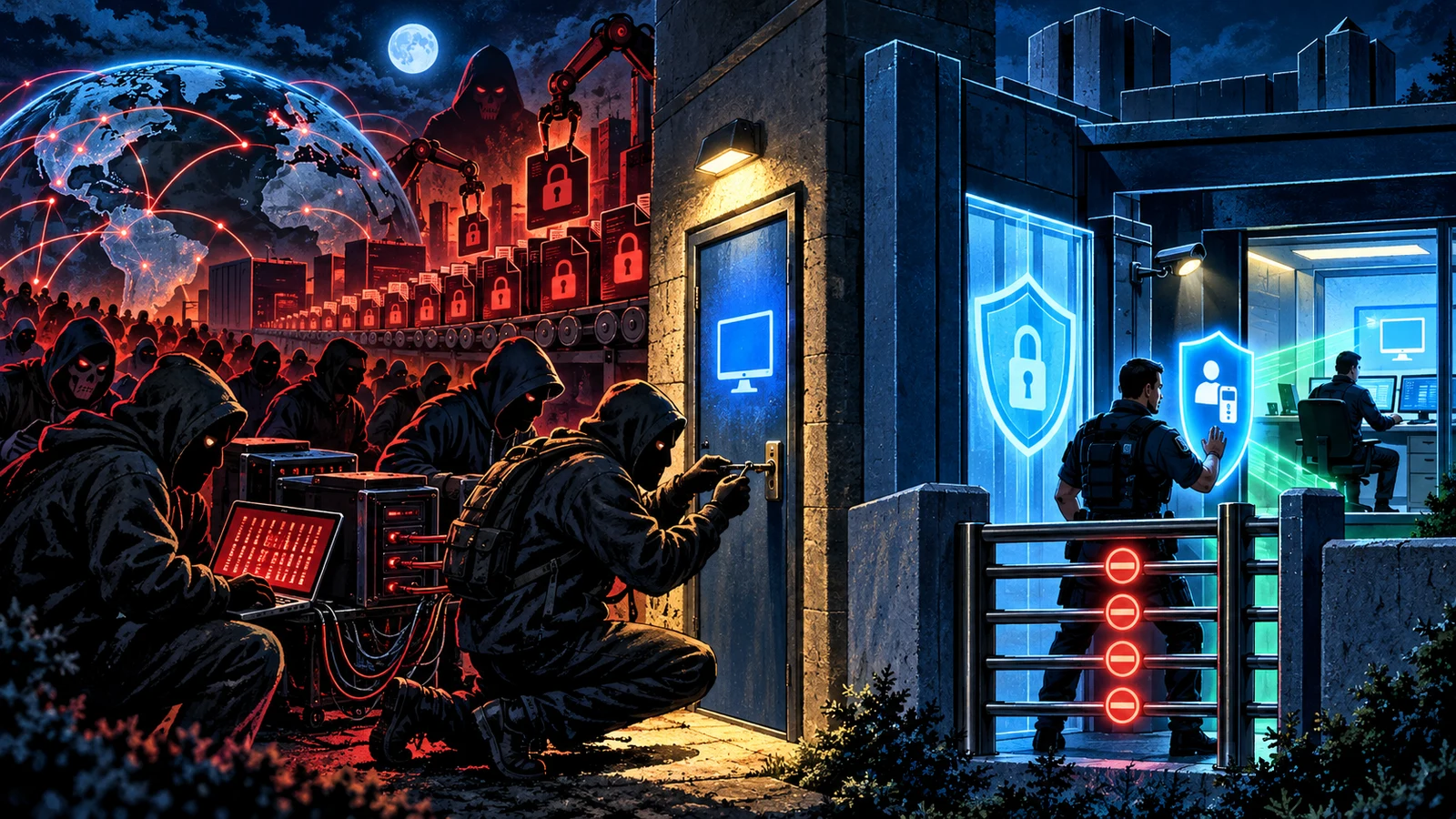
Finally comes impact. Once the operator controls enough of the estate, they disable security tooling, delete backups where they can reach them, and deploy the ransomware payload broadly. The encryption is the first loud event, and by then the intrusion has been underway for some time. Every hardening control below aims to break one of these stages: discovery, access, escalation, movement, or impact.
Detection signals
RDP intrusions are quiet until the end, so detection depends on watching the login layer and the session behavior for shapes that legitimate use rarely produces.
- Failed-logon storms. A high volume of failed RDP authentications, especially spread across many usernames from one source, is the footprint of brute force and password spraying. A sudden burst is one of the earliest and clearest signals.
- Successful logon after many failures. A run of failures followed by a success from the same source is the pattern of a guessing attack that finally landed. Treat that transition as high priority.
- Logins from unexpected geographies or networks. An RDP session sourced from a country or hosting provider your administrators never use, or arriving outside working hours, deserves scrutiny. Access brokers and affiliates often connect from infrastructure unrelated to the victim.
- New or unusual accounts using RDP. An account that has never logged on remotely suddenly opening RDP sessions, or a newly created account using RDP soon after creation, can indicate a compromise in progress.
- Impossible-travel and concurrent sessions. The same account signing in from two distant locations in a short window, or unexpected concurrent sessions, points to shared or stolen credentials.
- Session anomalies after logon. Once inside, an operator disabling security tools, clearing logs, or touching many file shares in quick succession leaves traces worth alerting on, since normal remote work rarely looks like reconnaissance.
Failed-logon volume is useful, but the sharpest signal is a burst of failures resolving into a success from the same source, followed by reconnaissance-like behavior. That sequence separates a guessing attack that landed from ordinary background noise. Centralize RDP authentication logs so this pattern is visible across every host at once rather than buried on individual machines.
Common mistakes
Relying on a non-standard port. Moving RDP off 3389 to an unusual port feels like hiding, but scanners sweep the full port range and find it anyway. Obscurity delays discovery by little and provides no real protection. Put RDP behind a gateway or VPN instead.
Assuming NLA is enough. Network Level Authentication hardens the handshake and cuts pre-session attack surface, and it does nothing about a valid stolen password, which is what most intrusions use. NLA is a floor beneath MFA and exposure controls, never a replacement for them.
Trusting a patched server to be safe while exposed. Patching closes known code flaws such as pre-authentication vulnerabilities, and a fully patched server with a weak password open to the internet is still a top ransomware on-ramp. Exposure plus a guessable credential needs no CVE at all.
Leaving remote-logon rights broad. When many accounts, including privileged ones, are allowed to log on through Remote Desktop, a single stolen credential inherits wide reach. Restrict remote logon to the specific accounts that need it and keep them out of local administrator groups where possible.
Skipping account lockout to avoid help-desk calls. Without a lockout policy, brute force runs unbounded. A sensible lockout after a small number of failures stalls guessing, and pairing it with MFA and a gateway keeps the operational cost low.
Watching for malware but not for logons. Because the attacker arrives as a legitimate user, malware-focused monitoring often sees nothing until encryption starts. Authentication logging and session monitoring are where an RDP intrusion is actually visible.
RDP compared with other remote access
RDP is one of several ways to reach a machine remotely, and its risks share a shape with the others: the danger is exposure and weak authentication rather than the protocol itself.
| Method | Default port | Common exposure risk | Primary hardening |
|---|---|---|---|
| RDP | TCP 3389 | Internet-facing listener, weak or reused password | Gateway or VPN, MFA, NLA, lockout |
| SSH | TCP 22 | Password auth exposed to brute force | Key-based auth, MFA, restricted source addresses |
| VNC | TCP 5900 and up | Weak or absent authentication, cleartext variants | Tunnel over VPN, strong auth, never direct exposure |
| Third-party remote tools | Vendor-defined | Shared or default credentials, broad reach | MFA, allowlisting, vendor hardening guidance |
The controls rhyme across every row. Authenticate strongly, do not expose the listener directly to the internet, add a second factor, and watch the logs. CISA's guidance treats this whole family together for that reason, and the RDP-specific advice here is that same pattern applied to the protocol attackers reach for most.
One control cuts across all of these and deserves its own mention: tested, offline backups. The controls above aim to prevent an intrusion, and backups decide what happens when prevention fails. Ransomware operators specifically hunt for and delete reachable backups before they encrypt, because a recoverable victim does not pay. Backups that are kept offline or immutable, segmented away from the accounts an RDP intruder would inherit, and restored in a real drill rather than assumed to work on paper, turn a full encryption event from a business-ending crisis into a recovery exercise. RDP hardening reduces the odds of reaching that point, and reliable, regularly tested backups cap the damage if an intruder does get all the way through.
How to secure RDP
Work top to bottom. The earlier steps remove the most risk.
- Get 3389 off the public internet. Scan your own perimeter and confirm no RDP listener is exposed. This one change stops the mass-scanning attack outright.
- Front RDP with a gateway or VPN. Route every remote session through an RD Gateway (RDP over HTTPS on 443) or a VPN, so the protocol is only reachable after authentication at the edge.
- Require MFA at that front door. Make a second factor mandatory before any session is brokered. This is the control that most directly stops credential-driven ransomware.
- Keep NLA required. Confirm Network Level Authentication is enforced on every RDP host so authentication precedes session setup.
- Enforce account lockout and strong unique passwords. Lock accounts after a small number of failures and ban reused or weak credentials, so brute force stalls instead of succeeding.
- Apply least privilege on remote logon. Restrict who is allowed to log on through Remote Desktop to the specific accounts that need it, and keep those accounts out of local administrator groups where possible.
- Patch the RDP stack. Keep Windows current so known Remote Desktop Services vulnerabilities are closed, and treat any pre-auth RDP CVE as an emergency.
- Log and alert. Watch for logon failures, off-hours access, and logins from unexpected geographies. A quiet intrusion is only quiet until someone is looking.
CISA's guide to securing remote access software covers the same ground for the wider family of remote tools, and the priorities are the same: authenticate before exposure, add a second factor, and watch what happens.
RDP is a useful tool with a dangerous default posture. Left open to the internet with a password, it is a top ransomware on-ramp. Behind a gateway, wrapped in MFA, with lockout and logging in place, it becomes a normal, defensible service. The gap between those two states is entirely in how you deploy it.
Frequently asked questions
Is it safe to expose RDP to the internet if I use a strong password?
A strong unique password helps, and it is not enough on its own. An exposed listener still faces continuous scanning, credential stuffing with passwords leaked elsewhere, and any pre-authentication flaw that lands in the RDP stack. The durable posture is to keep 3389 off the public internet entirely, behind a gateway or VPN with MFA, so a password is never the only thing standing between the internet and your desktop.
Does changing the RDP port from 3389 improve security? Very little. Scanners sweep the full port range, so a non-standard port is found anyway. Port changes add minor friction and no real protection. Spend the effort on a gateway or VPN, MFA, and lockout, which change the outcome rather than the timing.
What is the single most effective control for RDP?
Removing direct internet exposure, closely followed by multi-factor authentication at the front door. Getting 3389 off the perimeter stops mass scanning and direct brute force outright, and MFA neutralizes the credential-driven attacks that produce at most a password. Together they close the two most common paths.
Does Network Level Authentication stop ransomware? No, and it still helps. NLA forces authentication before the server builds a session, which shrinks pre-session attack surface and reduces resource abuse. It does nothing against a valid stolen or guessed password, which is what most RDP intrusions rely on. Keep NLA on and layer MFA and exposure controls above it.
We are fully patched. Are we safe from RDP attacks? Patching closes known code vulnerabilities, and most RDP ransomware needs no software flaw at all, only a working login on an exposed listener. Patch diligently, and treat any pre-authentication RDP CVE as an emergency, while remembering that exposure plus a weak or reused password is the common case that patching does not address.
How do attackers get working RDP logins without guessing? Initial access brokers guess or steal credentials at scale and sell working logins in batches on criminal marketplaces. A ransomware affiliate can buy access rather than earn it, which is why an organization with no visible break-in can still find an intruder already inside. MFA breaks this, because a purchased password alone no longer opens a session.
What should I monitor to catch an RDP intrusion early? Centralize RDP authentication logs and alert on failed-logon storms, a success arriving right after many failures from the same source, logins from unexpected geographies or outside working hours, and reconnaissance-like behavior after logon. The sharpest single signal is a burst of failures resolving into a success, since that is a guessing attack that finally worked.
Related guides
Sources & further reading
- MITRE ATT&CK: Remote Services - Remote Desktop Protocol (T1021.001) (MITRE)
- Configure Network Level Authentication for RDS Connections (Microsoft Learn)
- CISA: Guide to Securing Remote Access Software (CISA)
- RDP Exposed: The Wolves Already at Your Door (ten-honeypot study, July 2019) (Sophos)
- Nowhere, Man: The 2026 Active Adversary Report (Sophos X-Ops)
- CISA Alert AA19-168A: Microsoft Operating Systems BlueKeep Vulnerability (CISA)
- Patch New Wormable Vulnerabilities in Remote Desktop Services (CVE-2019-1181, CVE-2019-1182) (Microsoft MSRC)