Fileless Malware: Memory-Only Attacks
Fileless malware runs in memory and abuses trusted system tools, so disk scanning misses it. How it works, why signatures fail, and how to detect it.
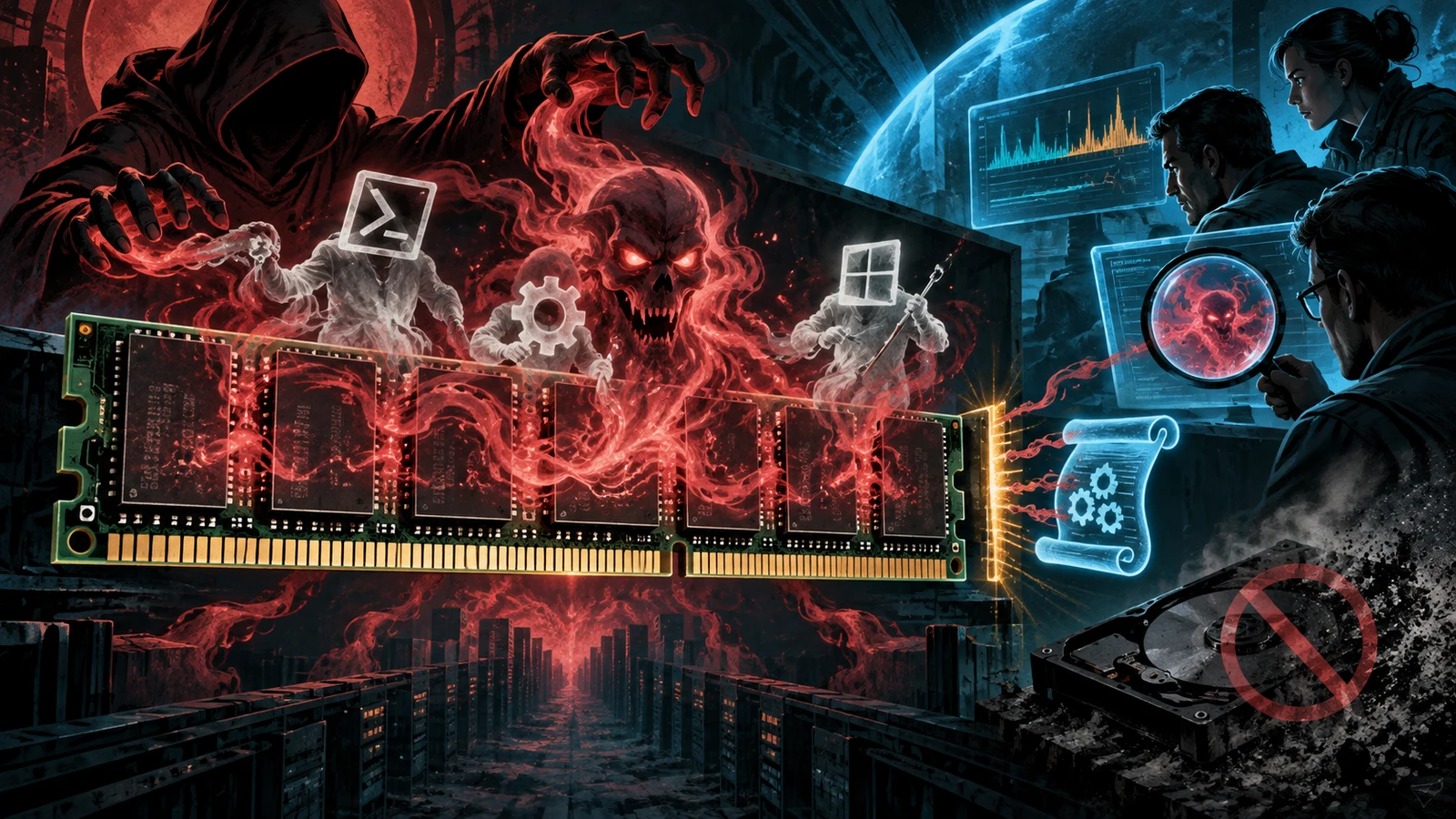
Most people picture malware as a file: an executable you download, a scanner catches, quarantine handles. Fileless malware breaks that mental model. It aims to leave nothing on disk for a scanner to catch, running its malicious logic in memory and driving it with tools that are already installed and trusted on the machine.
The result is an attack that looks, to a file-focused defender, like nothing happened at all. The processes running are legitimate Windows components. The commands are the kind an administrator might type. And yet the attacker has code executing, credentials being read, and a foothold being established.
What "fileless" actually means
The term is slightly misleading, so it is worth being precise. Very few attacks are perfectly fileless from start to finish. What defines the category is that the core malicious activity avoids writing a traditional malware executable to disk. Instead it does one or more of the following:
- Runs entirely in memory, injected into or spawned by a legitimate process.
- Abuses built-in interpreters like PowerShell, the Windows Script Host, or the command shell to carry the logic.
- Uses living-off-the-land binaries, signed Microsoft tools repurposed for attacker goals.
- Stores its persistence in the registry or a WMI subscription rather than as a file.
The unifying idea is that the attacker reuses trust that already exists on the system. A file the defender's tooling has never seen is suspicious. A signed system binary doing its normal job is not, which is exactly why it gets abused.
Why disk scanning misses it
Traditional antivirus grew up matching files against signatures: hashes and byte patterns of known-bad executables. That model assumes there is a file to look at. Fileless techniques remove the file, or replace it with a trusted one, and the assumption collapses.
Three properties make this hard for file-based tools:
- No persistent artefact. If the payload only ever exists in a running process, an on-access scanner that watches file writes has nothing to trigger on.
- Trusted binaries. When the process doing the damage is
powershell.exeorwmic.exe, its hash is on every allowlist. Blocking it by identity would break the operating system. - Encoded and staged commands. The actual instructions are often fetched from the network or decoded at runtime, so even if a command line is logged, the meaningful part may not appear until execution.
On MITRE ATT&CK, this activity clusters around Command and Scripting Interpreter (T1059), System Binary Proxy Execution (T1218), and Windows Management Instrumentation (T1047). None of those are files you can blocklist. They are behaviours you have to watch.
Fileless does not always mean non-persistent. Attackers commonly store an encoded payload in a registry run key or a WMI event subscription that re-launches an in-memory stage after every reboot. The disk stays clean of executables while the infection survives restarts. Treat registry and WMI persistence as first-class hunting targets.
The living-off-the-land toolkit
The signed, pre-installed tools attackers lean on are called LOLBins, short for living-off-the-land binaries. A handful come up again and again because they are powerful, present by default, and trusted:
| Tool | Legitimate purpose | How it gets abused |
|---|---|---|
| PowerShell | Administration and automation | Runs in-memory scripts, downloads and executes payloads |
WMI (wmic, WMI subscriptions) | System management and queries | Executes commands and stores fileless persistence |
mshta.exe | Runs HTML applications | Executes remote script content |
rundll32.exe | Loads and runs DLL functions | Proxies execution of attacker code |
regsvr32.exe | Registers COM components | Runs remote scripts through a trusted binary |
| Registry | Configuration store | Holds encoded payloads and auto-run entries |
The pattern is always the same. Take a binary Microsoft signed, feed it input it will happily process, and let the operating system's own trust carry the attack. For a fuller catalogue of these binaries and the specific arguments that turn them malicious, see our companion guide on LOLBins linked below.
How a fileless attack unfolds
A representative chain, with no exotic exploit required:
- Initial access through a phishing document or a paste-a-command lure that starts a trusted interpreter.
- In-memory execution where the interpreter pulls a script or shellcode and runs it without writing an executable to disk.
- Persistence written to a registry run key or a WMI subscription so the payload returns after reboot.
- Credential access and movement using more living-off-the-land tools, so each step continues to look like administration.
At no point does a novel malicious .exe sit on the drive waiting for a scanner. The whole chain is built from trusted parts arranged in an untrusted order.
How to defend against fileless malware
Because there is no file to match, defence moves from identity to behaviour and from detection alone to constraint plus visibility.
- Turn on script-block and module logging. PowerShell can record the actual script content it executes, decoded, even when the command line is obfuscated. Ship those logs somewhere they can be searched.
- Deploy behavioural EDR. Endpoint detection and response watches process relationships and actions. A Word document spawning PowerShell that spawns a network connection is a behaviour worth alerting on, regardless of any file hash.
- Hunt parent-child process chains. Office applications launching interpreters, or
rundll32reaching out to the internet, are the tells. Baseline what normal looks like so the abnormal stands out. - Apply application control. Tools like WDAC or AppLocker can force interpreters into constrained modes and block the less common LOLBins that have no business running in your environment.
- Reduce the interpreter surface. Disable or restrict PowerShell v2, Windows Script Host, and macros where they are not needed. Every interpreter you remove is one the attacker cannot borrow.
- Watch registry and WMI for persistence. Alert on new WMI event subscriptions and unusual auto-run keys. These are where fileless infections hide across reboots.
The single highest-value control here is PowerShell script-block logging. It captures the decoded script the attacker actually ran, which turns an unreadable encoded command line into concrete evidence you can detect and investigate. Enable it before you need it.
The attackers who favour these techniques are the ones you least want dwelling on your network: espionage crews and ransomware affiliates who prize stealth. To see which groups build their operations around living-off-the-land tradecraft, our Threat Groups directory maps the actors and the techniques they reuse across campaigns.
Fileless malware is a reminder that trust is a resource attackers can spend. The durable defence is the ability to see what trusted tools are actually doing, and to constrain them before they are turned against you.
Where the code actually lives
If nothing malicious is written to disk, the natural question is where the payload runs. The answer is memory, and there are a few recurring ways attackers get code executing there without a file.
The most direct is to have a trusted interpreter fetch and run code that never lands as an executable. PowerShell can download a script and execute it in the current process from a string in memory. A signed binary can be handed a remote script location and asked to run its contents. In each case the bytes that do the work exist only as data inside a running, trusted process.
A second route is process injection. The attacker starts or opens a legitimate process, allocates memory inside it, writes shellcode there, and points a thread at it. The host process is signed and trusted, its name looks normal in a process list, and yet it now runs attacker code. On MITRE ATT&CK this clusters around process injection techniques, and it is a favourite because the malicious activity wears a trusted process as a disguise.
A third route stores the payload somewhere that is not a conventional file: an encoded blob in a registry value, a WMI class property, or a scheduled task definition. On each trigger a small launcher reads the blob, decodes it, and runs it in memory. The disk holds only encoded data in a configuration store, not an executable a scanner recognises.
Very few intrusions touch disk literally never. A phishing document is a file. A downloaded script may briefly exist on disk. What puts an attack in the fileless category is that the core malicious logic avoids leaving a conventional malware executable for a scanner to match, favouring memory, trusted interpreters, and configuration stores instead. Reading fileless as a hard absolute leads defenders to miss the mostly-fileless attacks that make up the real population.
A worked example of a living-off-the-land chain
Trace a concrete sequence to see how trusted parts combine into an untrusted whole. None of the individual steps requires a novel exploit.
- A user opens a document delivered by phishing and enables content, which runs an embedded macro.
- The macro launches
powershell.exewith an encoded command. On disk there is still only the document; PowerShell is a signed system tool. - The encoded command instructs PowerShell to reach out to a remote host and pull down a script, which it runs directly in memory without saving it.
- That script injects a stage into a legitimate running process, so the ongoing activity is attributed to a trusted binary rather than to PowerShell.
- For persistence, the script writes an encoded payload into a registry run key and registers a WMI event subscription that relaunches the in-memory stage after a reboot.
- Using more living-off-the-land tools, the attacker reads credentials and moves laterally, each action resembling routine administration.
At no point does a novel malicious executable sit on the drive. The parent-child relationships are the story: a word processor spawning a shell, a shell reaching out to the network, a signed utility hosting injected code. Those relationships are what behavioural detection watches, because the individual binaries are all trusted.
Detection signals
Since there is no file to match, detection turns on behaviour and relationships. Concrete indicators worth alerting on:
- Office applications spawning interpreters. A word processor or spreadsheet launching PowerShell, the command shell, or a script host is abnormal in most environments and is a classic initial-execution tell.
- Interpreters running encoded or obfuscated commands. A PowerShell invocation with an encoded command argument, or long base64-like blobs on the command line, indicates an attempt to hide the real instructions.
- Trusted binaries making unexpected network connections. A tool like
rundll32,regsvr32, ormshtareaching out to the internet has stepped outside its normal job. - New WMI event subscriptions and unusual auto-run registry keys. These are the hiding places for fileless persistence. New or modified entries here deserve investigation.
- Signed utilities being fed remote script locations. A LOLBin invoked with a URL or a remote path as an argument is often proxying execution of attacker content.
- Process injection patterns. Memory being allocated and written in another process, followed by a new thread, is a strong signal that a trusted process is hosting foreign code.
The reason these signals work is that the abused tools do have legitimate uses, so the alert cannot be on the tool alone. Baseline what normal administration looks like in your environment: which hosts run PowerShell, which parent processes launch it, where scripts come from. Then the abnormal chain, a document spawning an encoded PowerShell that connects out, stands clear of the baseline. Detection here is about relationships and context, not file hashes.
Fileless techniques compared with file-based malware
Contrasting fileless techniques with traditional file-based malware clarifies why the old defences fall short and where the new ones apply.
| Property | File-based malware | Fileless techniques |
|---|---|---|
| Primary artefact | A malicious executable on disk | Code in memory, trusted binaries, config stores |
| How it is caught | Signature and hash matching | Behavioural and relationship analysis |
| Where persistence lives | A file plus an auto-run entry | Registry blob, WMI subscription, scheduled task |
| Effect of a reboot | Payload file remains | In-memory stage gone, relauncher may restore it |
| What blocks it | On-access file scanning, quarantine | Script logging, EDR, application control |
| Attacker's disguise | Obfuscated or packed binary | Trust of a signed, pre-installed tool |
The right-hand column is why a file-focused defender can look at a compromised machine and see nothing wrong. The processes are legitimate and the disk is clean of executables. Only when you inspect what those trusted processes did, and how they were launched, does the intrusion become visible. See LOLBins Explained for the specific binaries that populate that column.
Common misconceptions
A handful of mistaken beliefs make fileless attacks more effective than they should be.
- "Fileless means it never touches disk." Most such attacks touch disk somewhere: a phishing document, a briefly staged script, an encoded blob in the registry. The defining trait is the avoidance of a conventional malware executable, not perfect diskless purity.
- "A reboot cleans an in-memory infection." Only if there is no persistence. Attackers routinely store a relauncher in the registry or a WMI subscription that restores the in-memory stage after restart. The disk stays free of executables while the infection survives reboots.
- "Antivirus will catch PowerShell abuse." Blocking PowerShell by identity would break the operating system, and its hash is on every allowlist. The abuse is caught by logging what the script actually does and by watching process relationships, not by a signature on the interpreter.
- "We do not use PowerShell, so we are safe." The living-off-the-land toolkit is broad. If PowerShell is constrained, attackers reach for WMI, the script host,
mshta,rundll32,regsvr32, and others. Reducing one interpreter helps; it does not remove the class. - "Encoded command lines are inherently malicious." Encoding is common and sometimes legitimate. The signal is encoding combined with a suspicious parent process and outbound network activity. Context turns a neutral technique into an alert.
How the technique rose
Fileless tradecraft grew as endpoint defences got better at catching files. When signature-based antivirus made dropping a novel executable risky, attackers shifted to tools that were already trusted and already present, so there was nothing new for a scanner to flag. The approach spread from targeted espionage operations, which prized the stealth, into commodity crime and ransomware affiliate playbooks, because it is effective and the tooling is public.
The defensive response followed. Interpreters gained detailed logging, most importantly PowerShell script-block logging, which records the decoded content a script actually executed even when the command line was obfuscated. Endpoint detection and response products moved the focus from files to behaviour, recording process trees, network connections, and memory operations so that a trusted binary behaving untrustworthily becomes visible. Application control frameworks added the ability to force interpreters into constrained modes and to block the rarely-needed LOLBins outright. The arc mirrors the attackers' move: as they abandoned files, defenders stopped relying on files and started watching behaviour. Adopting those controls, script logging, behavioural EDR, application control, and registry and WMI monitoring, is how a defender keeps pace with a technique built specifically to defeat the file scanner.
Why investigation is harder
Fileless techniques do not only evade prevention. They complicate the response after an intrusion is found, and understanding why shapes how you prepare. Traditional forensics leans heavily on disk artefacts: the malicious file itself, its timestamps, its location, and the auto-run entry that launched it. Those artefacts anchor an investigation and answer what ran and when. Remove the file and much of that anchor disappears.
Two consequences follow. The first is that evidence is volatile. Code that only ever lived in memory is gone when the process exits or the machine powers off. If a responder shuts a suspicious host down before capturing memory, the most important evidence may vanish. This is why memory acquisition and rich process logging matter so much for these cases: they preserve what the disk does not hold. The second is that attribution to a specific action is harder. When the activity is attributed to powershell.exe or an injected legitimate process, a responder cannot simply hash a file and look it up. They have to reconstruct behaviour from logs: which process launched which, what commands ran decoded, what network connections opened, and what registry or WMI changes appeared.
This is the practical case for turning on the visibility controls in advance. Script-block logging preserves the decoded commands after the process is gone. Behavioural EDR keeps a record of the process tree and network activity that outlives the memory it describes. Monitoring of registry run keys and WMI subscriptions captures the persistence that a disk scan would miss. Collected before an incident, these logs turn an otherwise ghostly intrusion into a reconstructable timeline. Collected after, they do not exist. The preparation is the defence.
Frequently asked questions
Does fileless malware really never write to disk? Rarely in a literal sense. Most attacks in the category touch disk at some point, through a phishing document, a briefly staged script, or an encoded blob in the registry. What makes them fileless is that the core malicious logic avoids a conventional executable that a scanner could match.
Why can antivirus not just block PowerShell? Because PowerShell is a legitimate, signed administration tool present on every Windows system, and countless normal tasks depend on it. Blocking it by identity would break the operating system. The answer is to log what it does and constrain it, so abuse is caught by behaviour rather than by blocking the tool.
What is the single most valuable control? PowerShell script-block logging is the highest-value starting point on Windows. It captures the decoded script an attacker actually ran, turning an obfuscated command line into concrete, searchable evidence. Enable it and ship the logs somewhere they can be queried before you need them.
How does fileless persistence survive a reboot without a file? The payload is stored as data, not as an executable: an encoded blob in a registry run key, a WMI event subscription, or a scheduled task. A small launcher reads and runs it in memory on each trigger. The disk holds only encoded configuration, so a file scanner finds nothing while the infection persists.
Are Linux and macOS affected too? The concept applies anywhere trusted interpreters and system tools exist. The specific binaries differ, and the Windows registry and WMI mechanisms are platform-specific, but memory-only execution and abuse of built-in scripting are cross-platform ideas. The Windows toolkit is simply the most documented.
How is this different from a rootkit? A rootkit is about hiding a presence, often deep in the system, to maintain stealthy control. Fileless malware is about executing without leaving a conventional file, frequently by borrowing trusted tools. The goals can overlap, and some intrusions use both, but the defining trait of fileless is the avoidance of a malware executable. See What Is a Rootkit.
Can application control stop these attacks? It helps significantly. Frameworks like WDAC and AppLocker can force interpreters into constrained modes and block the less common LOLBins that have no business running in a given environment. It is one layer among several; pair it with logging, behavioural EDR, and monitoring of registry and WMI persistence.