Tech Support Scams: The Popup, the Call, the Refund
How tech support scams work: browser lockers and fake alerts, the remote access session, the refund overpayment trick, and exactly what to do if you already let someone in.
A tech support scam is a piece of theatre with three acts. Something alarming appears. A helpful person answers the number on screen. By the end of the call the helpful person is inside your computer, your bank account, or both.
None of the technical parts are sophisticated. The popup is a web page. The diagnostic commands are ordinary Windows utilities. The remote access software is a legitimate commercial product. What does the work is the pressure: a manufactured emergency, an authority to defer to, and a fix that must happen right now.
This guide covers each act, the variants, and precisely what to do if it has already happened.
Scope: What Is Scareware owns the fake-alert malware category, Social Engineering Playbook owns the persuasion techniques, and What Is Phishing owns email lures. This page owns the scam itself.
Act one: the alarm
Three common openings.
The browser locker. You land on a page, often from a mistyped address, a malicious advertisement on an otherwise ordinary site, or a link in a search result. The page goes full screen, plays an alarm sound, shows something styled like a system warning, and displays a support number. It resists closing: dialogs reappear as fast as you dismiss them, the tab will not close, and some versions play a recorded voice.
The mechanics are mundane. The page requests full-screen mode, loops repeated dialog boxes, and intercepts the attempt to leave. Some pages display your IP address, city, browser and operating system, all of which any web page can read, presented as evidence of a deep scan.
What it cannot do is examine your computer. A page in a browser sandbox has no view of your files, your antivirus, or whether anything is wrong.
The cold call. A caller says they are from Microsoft, Apple, your internet provider or a security company, and that your machine is sending errors or has been reported as infected. None of those companies do this. Microsoft does not monitor your computer for faults and telephone you about them.
The fake invoice. An email confirms a renewal you did not order, for a subscription you do not have, with a plausible amount and a number to call to cancel. This one is effective because you make the call, so the usual advice about unsolicited contact does not feel like it applies. The same technique is used at the start of some ransomware intrusions against businesses.
Act two: the call
The person who answers is calm, professional and patient. They will spend as long as needed.
The goal is remote access. You are guided to install a legitimate remote support tool, the kind used by real help desks, and to read out a connection code. From that moment they can see your screen and control your machine.
Then comes the diagnosis, which is a performance built from real Windows utilities chosen for how their normal output looks:
- Event Viewer. Every Windows machine logs warnings and errors continuously as part of normal operation. Scrolling through a list of red and yellow entries looks like catastrophic damage to anyone who has not seen it before.
netstat. Lists network connections. Ordinary browsing produces many, and each foreign address is presented as an intruder.tree. Prints a directory structure for a long time, which looks like a scan in progress.assoc. Prints file type associations, including a long identifier for.zfsendtotarget. Some scripts read that identifier out as your "computer licence ID" and claim it proves the machine is registered to them.- The Windows temp folder, whose ordinary contents are described as infections.
msconfigor Task Manager, where anything unfamiliar is a virus.
Sometimes something genuinely harmful is added: a payload installed while you watch, a browser extension, a persistent remote tool, or a look through documents and browser-stored passwords. Occasionally the caller sets a password on your account or locks the screen to force payment.
Then the fee. A few hundred for a cleanup, more for a multi-year "protection plan", paid by card, transfer or gift card.
Act three: the refund scam
This variant is the one that produces the large losses, and it usually arrives months later, sometimes from a different group using a list of previous victims.
The story is that the company is closing, or that your protection plan is being refunded. You are asked to log in to your bank so the refund can be processed. You are then asked to type an amount into a form.
What follows is a manipulation of what you see. With control of your screen, the caller edits the displayed page in the browser's developer tools so the balance appears to show a much larger deposit than intended, or they move money between your own accounts so the checking balance rises. Either way the screen shows an overpayment. Say, they meant to refund 300 and it shows 30,000.
Then the distress: the caller says they will lose their job, that the error must be corrected before their shift ends, that you must return the difference immediately. The return is requested in gift cards read over the phone, cryptocurrency through an ATM, a wire transfer, or cash handed to a courier at your door.
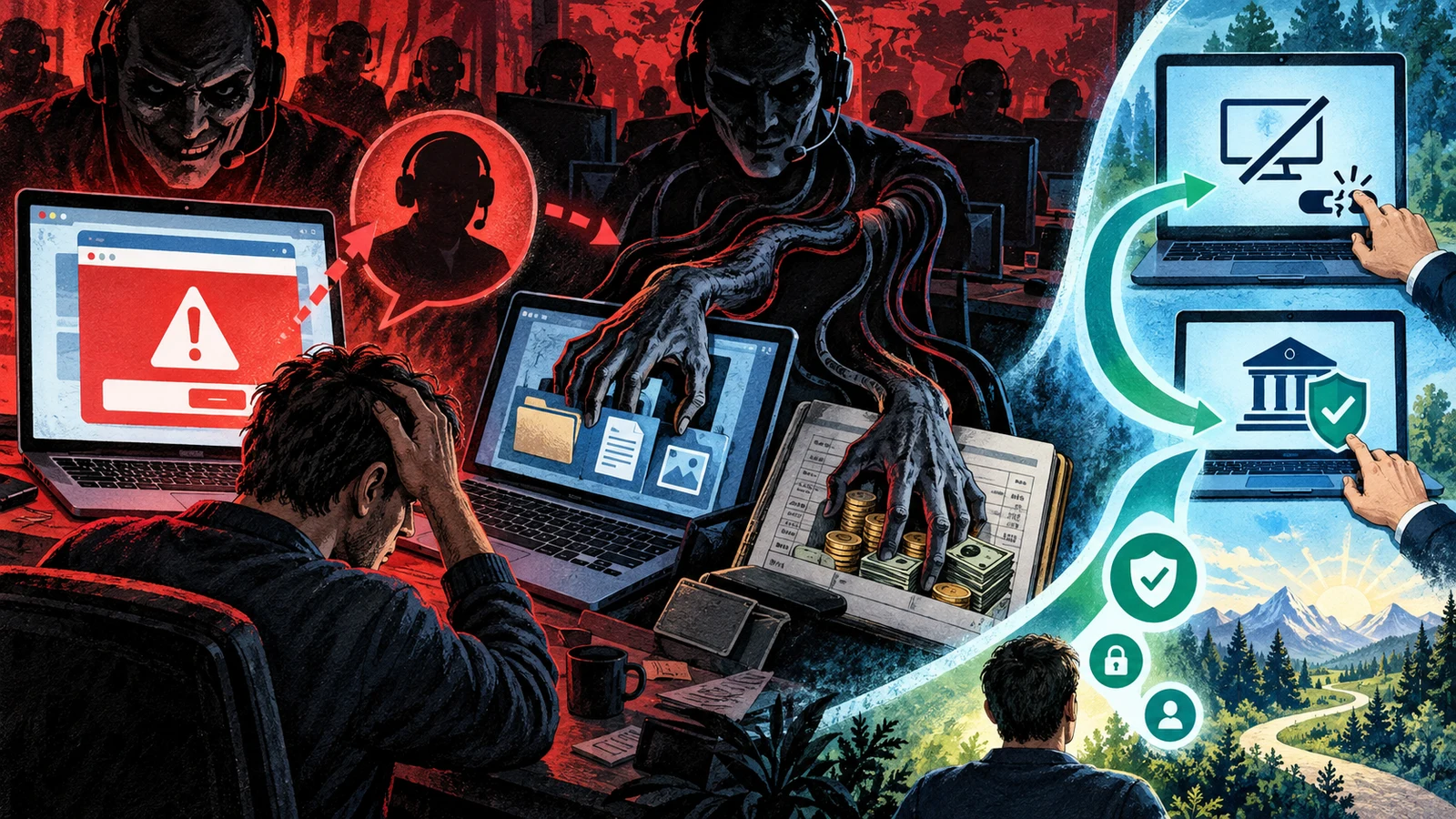
No money ever arrived. Every payment you send is your own.
Two things make this work. The screen is trusted more than the account, and no money left your account during the setup, so the victim's own check confirms the story. And the emotional pressure inverts the relationship: the victim is now helping someone in trouble rather than defending themselves.
Recognising it, in one list
- Unsolicited contact about a problem you had not noticed.
- A phone number inside an error message. Real system errors never include one.
- Urgency with a deadline measured in minutes.
- A request to install remote access software.
- A request for payment in gift cards, cryptocurrency, wire transfer or cash to a courier.
- Being told not to discuss it with your bank, your family or the police.
- A refund that is larger than expected, followed by a request to return the difference.
- Anyone asking you to log in to your bank while they watch.
The last two are conclusive. Nothing legitimate has that shape.
What to do
If a warning page has taken over the browser:
- Do not call the number.
- End the browser process: Ctrl+Shift+Esc on Windows, Cmd+Option+Esc on a Mac.
- Reopen and decline to restore the previous session.
- Clear the site's data, and run a scan if you downloaded anything.
Nothing is infected. The page was a page.
If you are on the phone with them: hang up. There is no version of the conversation that ends well, and there is nothing to be gained by arguing.
If you installed remote access software or gave them control:
- Disconnect from the internet first. Unplug the cable or turn off wifi. This ends the session immediately, which matters more than anything else in the first minute.
- Uninstall the remote access tool. Check for more than one; several may have been installed.
- From a different device, change your email password first, because email is the reset path for everything else, then banking, then everything of value. Enable two-factor authentication as you go. Password Managers Guide and Two-Factor Authentication Guide cover doing this properly.
- Call your bank on the number printed on your card, and tell them exactly what happened. Ask them to review recent activity and flag the account.
- Check for changes you did not make: new email forwarding rules, new recovery addresses or phone numbers, new payees on the bank account, new scheduled transfers.
- Have the computer reinstalled, or checked by someone you trust. You cannot verify what was left behind by watching it happen.
- Report it. In the US, the FBI's IC3 and the FTC. In the UK, Action Fraud. Elsewhere, the national cybercrime reporting body. Speed matters, because payments identified within hours are occasionally recoverable.
If you paid:
- Card payments can sometimes be disputed. Call immediately.
- Gift cards: call the issuer with the card numbers and receipts. If the balance has not been spent, some issuers can freeze it. Keep the physical cards and receipts.
- Wire transfers and crypto: recovery is unlikely and speed is the only lever. Report anyway, because the addresses and accounts feed investigations that do sometimes take infrastructure down.
And do not be embarrassed into silence. These operations are professional call centres that run this script hundreds of times a day and refine it against what works. Being taken in by a practised operator is not a character flaw, and the shame is what stops people telling their bank in the window where the bank can still act.
Helping someone at risk
If you look after an older relative's technology, a few changes do most of the work:
- Agree a rule in advance: nobody installs anything or gives screen control because of a phone call, and calling you first is always the right move at any hour.
- Make sure they know that a screen showing a bank balance is not proof that money moved, and that the statement in the banking app on their phone is the real record.
- Remove local administrator rights on the machine so software cannot be installed casually.
- Set up an ad blocker, since malicious advertising is a common source of the locker pages.
- Talk about the gift card rule explicitly, because it is the single most reliable stop signal and it works even when everything else has been persuasive.
The verdict
Every version of this scam depends on two consents you can simply withhold: letting a stranger control your computer, and sending value in a form that cannot be reversed. Neither is ever required by a legitimate organisation.
The popup is a web page and closes with Task Manager. The caller is not from Microsoft. The refund that overpaid never arrived. And if it has already happened, the order is: disconnect, uninstall, change passwords from another device, call the bank, report it.
Related guides
Sources & further reading
- FBI Internet Crime Complaint Center annual reports (FBI IC3)
- How to spot, avoid, and report tech support scams (US Federal Trade Commission)
- Avoid and report Microsoft technical support scams (Microsoft)
- Action Fraud reporting (UK National Fraud and Cyber Crime Reporting Centre)
- Recognise and report scams (UK National Cyber Security Centre)