Scareware: Fake Alerts, Fake Antivirus, Real Damage
Scareware uses fake virus warnings to panic you into paying or calling a scammer. How the scam works, how it overlaps tech-support fraud, and how to defend.
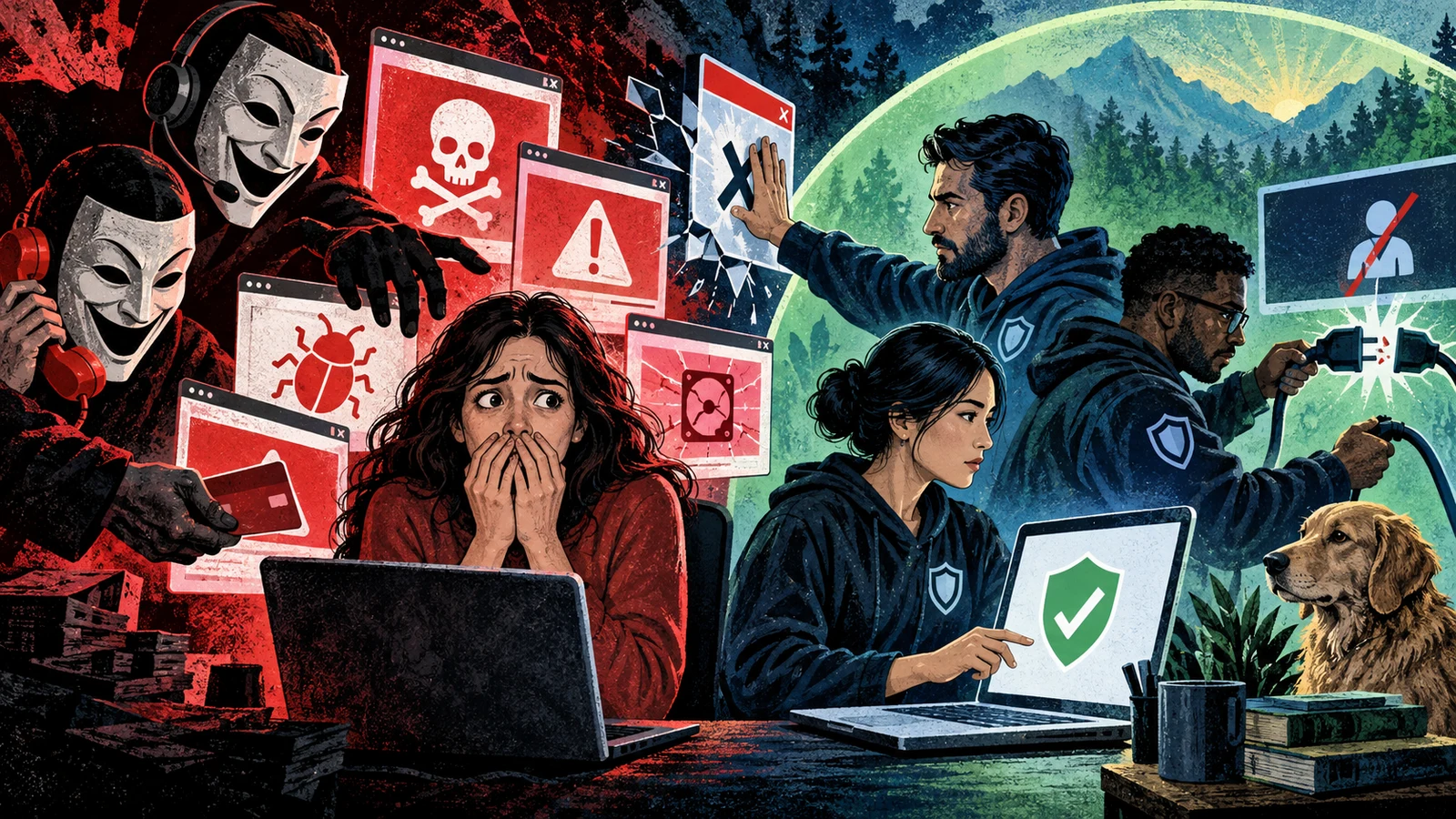
A red screen fills the browser. A siren-styled banner says your computer is infected, your banking data is at risk, and you have four minutes to act. A number to call sits under a flashing warning. None of it is real. The page cannot see your files, cannot scan your machine, and has detected nothing. It is scareware, and its only goal is to make you panic and do something you would never do calmly.
Scareware is one of the oldest tricks that still works, because it targets a person rather than a machine. It manufactures a fake emergency and offers one easy way out, hoping fear moves faster than judgment.
What scareware actually is
Scareware is any software or web content that fakes a security problem to pressure you into a harmful action. The action varies, but it usually falls into one of these buckets:
- Pay for a fake fix. A fake antivirus product claims it found dozens of threats and demands payment to clean them.
- Call a fake helpline. A full-screen warning tells you to call a support number, which reaches a scammer.
- Install the real payload. The alert pushes you to download a tool that turns out to be adware, spyware, or a remote-access program.
- Hand over access or money. Once you engage, the operator escalates toward remote control of your machine or a direct payment.
The warning itself is theatre. The page or program has no visibility into your system. It shows the same alarm to everyone, then counts on a fraction of viewers to react.
The anatomy of the scare
Scareware campaigns reuse the same emotional script because it converts. Recognising the script is most of the defense.
| Element | What it looks like | What it is doing |
|---|---|---|
| The alarm | Red screen, sirens, "VIRUS DETECTED", system-style icons | Grabbing attention and signalling authority |
| The urgency | A countdown, "act now", threats of data loss | Removing time to think or verify |
| The authority | Fake Windows, Apple, or antivirus branding | Borrowing trust you already have |
| The single action | One button, one number, one download | Funnelling you to the outcome the scammer wants |
| The lock | A tab that will not close, looping audio | Manufacturing helplessness so calling feels like relief |
When several of these appear together, you are looking at scareware. A genuine operating system or security tool does not behave this way. It does not lock your screen and demand a phone call.
Fake antivirus, the classic form
The most familiar scareware is the rogue security product, often called fake AV or a rogue scanner. It installs or runs, launches a convincing scan animation, and reports a pile of infections that do not exist. Removing them requires buying the full version. Some rogue scanners go further and disable real security tools, so the fake one looks like your only option.
Fake AV can be a downloaded program or a pure browser illusion. The browser version cannot touch your files. It only renders a scan that looks real. The download version can install unwanted software, which is where scareware bleeds into the abused file formats attackers use to deliver a heavier payload behind the fake alert.
Where scareware meets tech-support scams
Modern scareware often skips the fake product entirely and routes straight to a human. The full-screen page says the machine is compromised and instructs you to call Microsoft, Apple, or your bank at the number shown. The number reaches a scam call centre.
From there the script is familiar: the "technician" asks you to install remote-access software, walks through fake diagnostics, then pushes for payment or account access. The scareware page was only the hook that got you to dial. This overlap is why scareware and tech-support fraud are usually the same operation seen from two ends.
On MITRE ATT&CK, the mechanics map to User Execution (T1204), because everything depends on you taking the action, and to Impersonation (T1656), because the whole thing leans on pretending to be a brand you trust.
Real security software removes threats inside the software. It never tells you to call a number to fix a virus, and no legitimate vendor takes payment in gift cards or crypto to clean a machine. A security alert that wants you on the phone is a scam every time.
Why it keeps working
Scareware survives because it is cheap to run and it exploits a reliable human reflex. A single web page or a small rogue installer can reach large numbers of people through malvertising, poisoned search results, and pop-ups on low-quality sites. The operator needs only a small conversion rate to profit.
It also targets the people least equipped to push back. The urgency and the branding are designed to override the instinct to slow down and verify, and they work best on those who are already uncertain about how computers behave.
How to detect and defend
Scareware is a social problem with a few technical assists. Defense is a short, teachable routine plus some controls that cut off delivery.
- Do not act on the alarm. The single most useful habit: an unsolicited security warning that appears while browsing gets closed, not obeyed. Do not click the button, do not call the number, do not download the tool.
- Close the browser cleanly. For a tab that will not close, shut the whole browser. On Windows, end the browser process from Task Manager. On macOS, use Force Quit. When it reopens, decline to restore the previous tabs.
- Never call the number. No genuine alert asks you to phone anyone. Treat any displayed support number as part of the scam.
- Verify through a channel you chose. If you are unsure whether a warning is real, close it and open your actual security tool yourself, or contact the vendor through their official site. Never use contact details supplied by the alert.
- Block the delivery. A content blocker and pop-up blocking cut off most browser scareware. Keeping the browser updated closes the tricks that force a tab to stay open.
- Reduce what can install. Standard user accounts, application control, and a reputable endpoint tool stop the download-based rogue scanners from taking hold.
- Teach the script. The most effective control is a family member or colleague who recognises the fake-alarm pattern and knows the rule: close it, do not call.
If a person followed the script, installed remote software, or paid, treat it as a compromise. Disconnect the machine, uninstall any remote-access tool the scammer added, change passwords from a clean device, and contact the bank to reverse or flag the payment. Assume anything typed during the "support" session was seen.
Scareware has no power you do not give it. The warning is a picture of an emergency with no emergency behind it. Slow down, close the window, and the whole thing evaporates. The scammer is betting you will not, so the defense is simply to make the calm choice the fear was designed to prevent.
A worked example, click by click
It helps to walk one campaign from first pixel to final payment, because the sequence is where the manipulation lives. Consider a person searching for a free document converter. The top few results are ordinary, but one paid or poisoned result leads to a page that briefly loads, then redirects. The redirect is the moment the scareware takes over, and it happens fast enough that the person never registers a decision point.
The new page renders full-screen. It borrows the visual language of the operating system: a blue banner, a padlock icon, a progress bar that appears to scan drive by drive. Audio starts, often a looping alarm or a synthesized voice reading the warning aloud. The text names a specific-sounding threat, a trojan with a plausible code, and claims it is actively stealing banking credentials. A countdown appears, usually a few minutes, and the page says the account will be locked or the files wiped when it reaches zero.
The person tries to close the tab. The page has registered a handler that spawns a confirmation dialog every time focus leaves, so closing feels blocked. This is the manufactured helplessness described earlier. The looping dialogs are cosmetic, they hold nothing hostage, but the experience of being trapped is exactly what makes the phone number feel like relief rather than risk.
If the person calls, the script shifts to a human. The operator sounds calm and competent, which contrasts with the screaming page and builds trust by comparison. They ask the person to open a remote-support tool, often a legitimate commercial product the scammer abuses, and read out a session code. Once connected, the operator runs harmless built-in utilities and narrates them as evidence of infection. The event log viewer, which always contains routine warnings, becomes proof of an attack. From there the ask arrives: a cleanup fee, a multi-year support plan, or direct access to a bank session to process a refund that is engineered to move money the wrong way.
Every step is designed to keep momentum. The redirect removes the choice to arrive. The countdown removes the time to think. The trapped tab removes the exit. The calm operator removes the doubt. Breaking any single link ends the whole thing, which is why the defensive routine is so short: refuse the first action and none of the later ones can occur.
Detection signals
Scareware is mostly a human problem, but there are concrete indicators that a page or a program is a fake alarm rather than a real one. Teaching people to recognize these turns a scam into an obvious tell.
- The warning arrived unsolicited while browsing. Real endpoint protection scans on a schedule or on file access, and its alerts appear inside its own window, not as a web page. A security warning that materializes because you visited a site is a web page pretending to be software.
- It demands a phone call or an outside payment method. No legitimate security product routes threat removal through a call center, and none takes gift cards, wire transfers, or cryptocurrency. The presence of a phone number in a virus alert is close to definitive.
- The page uses aggressive sensory pressure. Looping audio, a synthesized voice, flashing red, and a countdown are theatrical devices. Genuine system messages are quiet and static.
- It claims impossibly specific knowledge. A web page cannot enumerate your files, name your bank, or read your saved passwords. Claims of that kind are bluffs designed to sound authoritative.
- Closing is being fought. Repeated confirm dialogs, a tab that reopens, or a page that goes full-screen and hides browser controls are signs the page is engineered to trap rather than inform.
- The branding is close but wrong. Slightly off logos, generic product names, or a mix of Windows and Apple imagery on the same page all point to a template built to impersonate many brands at once.
For an organization, the delivery leaves traces worth monitoring. Spikes in traffic to newly registered domains that serve full-screen pop-ups, endpoint blocks on rogue-scanner installers, and help-desk calls that all reference the same phone number are the kind of signals that reveal a campaign hitting your users.
How scareware compares to nearby threats
Scareware sits in a family of deception-based attacks, and the boundaries blur because operators mix them. The table below separates the ideas so the differences are clear.
| Threat | Core mechanism | What it wants | How it differs from scareware |
|---|---|---|---|
| Scareware | Fake alarm creates panic | A call, a payment, or a download | The alarm itself is the product |
| Tech-support scam | A human runs a fake diagnosis | Remote access and payment | Often the next stage after a scareware page |
| Ransomware | Real encryption of real files | A ransom to decrypt | The damage is genuine, not staged |
| Adware | Unwanted ads and redirects | Ad revenue and clicks | Annoying rather than frightening |
| Phishing | Fake login or message | Credentials or data | Impersonates a trusted party, no alarm needed |
The key distinction is between staged and real harm. Scareware and phishing show you a lie and hope you act. Ransomware carries out an actual attack on your data. Confusing the two leads people to pay a scareware fee out of fear that their files are already gone, when nothing has happened yet.
Some scareware imitates ransomware without doing any encryption. The screen claims files are locked and shows a payment demand, but the files are untouched. Because a real ransom note and a fake one can look identical, verify before paying anything: check whether files actually open from a clean device or a recovery environment. Assuming the worst is exactly the reaction the fake note is engineered to produce.
Common misconceptions
A few beliefs make people more vulnerable, and correcting them is part of the defense.
"The alert knows something is wrong, so I should listen." The alert knows nothing. A browser page cannot inspect your system, and a rogue scanner reports the same fictional infections to everyone who runs it. The specificity is fabricated to sound credible.
"Paying makes it stop, so it is worth it." Paying funds the operation and marks you as someone who pays, which invites repeat contact. It does not clean anything, because there was nothing to clean, and it hands your card details to a criminal.
"My Mac or my phone cannot get this." Scareware is largely platform-independent because most of it is a web page. The same fake alarm renders on any device with a browser, and mobile users see versions tuned to look like iOS or Android system dialogs.
"A reputable-looking site would not show this." Scareware arrives through malvertising, so it appears on ordinary sites that sell ad space to networks that failed to vet a buyer. The surrounding site being legitimate says nothing about the ad that hijacked the tab.
"If I already called, the damage is done, so I may as well continue." The opposite is true. The earlier you hang up, the less the operator can extract. Stopping at any point limits the harm.
How scareware evolved
The tactic has a long lineage. Early versions in the 2000s were downloaded programs, rogue antivirus tools with names designed to sound like real products, that faked scans and demanded a license fee. As browsers grew more capable, the scam moved into the page itself, where a pure web illusion needed no install and could reach anyone who loaded the ad.
The next shift was toward the phone. Operators realized a live human closes far more victims than a static payment page, so the fake product became a hook that pushed people to call. That merged scareware with the tech-support fraud industry, complete with call centers, scripts, and quality controls. More recent campaigns lean on malvertising and search poisoning for reach, and on remote-support software for the payout, but the emotional core has not changed since the first fake scanner. Fear plus a single easy exit still converts, which is why a decades-old trick remains in active use.
Frequently asked questions
Can a scareware web page actually infect my computer? The page on its own cannot. It is HTML and script rendered in your browser, with no ability to read or change your files. Infection only becomes possible if the page convinces you to download and run something, or to grant a caller remote access. The page is a persuasion tool, and the harm depends entirely on the action it talks you into.
A tab will not close and keeps showing a warning. What do I do? Close the entire browser rather than the tab. On Windows, open Task Manager and end the browser process. On macOS, use Force Quit. When the browser reopens, decline any offer to restore the previous session so the malicious tab does not come back. Nothing is being held hostage, so a clean restart ends it.
I called the number. Is that dangerous by itself? Calling alone gives away little, but stop there. Do not install anything the operator asks for, do not read out any codes, and do not let them connect to your machine. If you installed a remote tool or shared card details, treat it as a compromise: disconnect the machine, remove the tool, and change passwords from a device you know is clean.
How is scareware different from a real antivirus warning? A real warning comes from software already installed on your machine and appears inside that software's own interface. It removes threats itself and never asks you to call a number or pay separately to clean an infection. A scareware alert appears as a web page or a program you did not install, and it always routes you toward a call, a payment, or a download.
Why do these pages know my browser or my city? They do not know anything personal. Your browser sends basic technical details with every request, and your rough location comes from your IP address, which any web page can see. Scareware displays these ordinary facts to seem like it has deep knowledge of your system, but a weather site sees exactly the same information.
Does an ad blocker actually help? Yes, meaningfully. Most browser scareware is delivered through malicious advertising, so a content blocker that stops those ads removes a large share of the delivery. Combined with pop-up blocking and a current browser, it cuts off the most common way these pages reach people in the first place.
Should I report a scareware page? Reporting helps. You can report the ad or site to the browser vendor and to the ad network if you can identify it, and in many countries you can report the scam to a national consumer or cybercrime agency. Reports feed the blocklists that shorten how long a given page or number stays effective.
Defending an organization at scale
The advice above scales down to one person at a keyboard, but organizations can build structural defenses so individuals are not the only line. The delivery paths for scareware are well understood, which makes them addressable.
Start with the browser fleet. Enforcing pop-up blocking, disabling unnecessary notification permissions, and deploying a managed content blocker removes most malvertising delivery before a user ever sees it. Keeping browsers on the current version closes the tricks that force a tab to stay open or go full-screen without consent.
Constrain what can install. Standard user accounts, application allowlisting, and a reputable endpoint tool stop the download-based rogue scanners, and blocking or gating common remote-support tools stops the payout stage of tech-support fraud. Many organizations have no business reason for a general user to run remote-access software, so restricting it removes the operator's primary lever.
Finally, treat the human layer as a control worth investing in. Short, memorable guidance beats long policy documents: an unsolicited security warning gets closed, never called or paid. A help desk that recognizes the pattern and can reassure a shaken caller prevents the panic that scareware depends on. Track help-desk reports that reference the same phone number or the same full-screen page, because those clusters reveal a campaign hitting your users and let you push a targeted warning before it spreads further.