Banking Trojan: Overlay & Web-Inject Fraud
Banking trojans steal money by faking login screens and rewriting bank pages mid-session. How overlays and web injects work, plus mobile defense.
Most malware that reaches the news locks files or steals data to sell later. A banking trojan has a narrower and more direct goal: take money out of a real account, ideally while the account holder is looking at what appears to be a normal banking session. It does not need to break the bank's servers. It corrupts the one device the bank has to trust, the customer's own.
A banking trojan is malware that specializes in financial theft. It sits on an infected phone or computer, waits for the victim to open a targeted bank or payment service, and then steps in to capture credentials and steer the money. The clever part is that from the victim's side, almost nothing looks wrong.
How a banking trojan gets its money
The core trick is patience plus deception. The malware installs quietly and stays dormant. It carries a target list of banks, wallets, and payment apps its operator cares about. When the victim launches one of those, the trojan activates and applies one of two signature techniques.
Overlays are fake screens drawn on top of a legitimate app. The victim opens a real banking app, and the trojan instantly covers it with a pixel-matched copy of the login screen. The victim types their credentials into the fake screen, the malware records them, and control passes back to the real app as if nothing happened. On MITRE ATT&CK this maps to Input Capture (T1056) on desktop and Input Capture (T1417) on mobile.
Web injects work in the browser. The trojan modifies the bank's real web page after it loads, inserting extra form fields or scripts that the bank never sent. A page that normally asks for a username and password suddenly also asks for a full card number, a PIN, or a one-time code, all wrapped in the bank's genuine styling. The victim trusts the page because the address bar and the branding are real. Only the injected fields are the attacker's.
Both techniques share a design goal: harvest everything needed to move money without alarming the victim.
The one-time code problem
Banks responded to password theft with a second factor, often a code sent by SMS or generated in an app. Banking trojans were built to defeat exactly that.
On desktop, a web inject can present a fake "confirm your identity" prompt at the precise moment the attacker is logging in from their own machine, tricking the victim into reading out the very code that authorizes the fraudulent session. On mobile, the trojan can read incoming SMS directly and forward the code to the operator, or auto-fill it, so the victim never sees the message that should have warned them.
This is why a banking trojan is more dangerous than a simple password stealer. It is positioned to intercept the second factor in real time, inside the same flow the victim believes they are driving.
Some banking trojans run automatic transfer systems that swap the payee and amount after the victim approves a payment. The screen shows the transfer the victim intended; the instruction sent to the bank is the attacker's. Confirming a transaction out of band, on a channel the malware does not control, is what breaks this.
Mobile banking trojans and accessibility abuse
Android is the busiest battleground for banking trojans, and one permission explains most of it: accessibility services.
Accessibility exists to help users who need the screen read aloud or navigated automatically. It grants an app the power to read everything on screen and to perform taps and gestures on the user's behalf. A banking trojan that talks a victim into enabling accessibility gains almost total control of the session. It can read the balance, see what the user types, dismiss security warnings, grant itself further permissions, and even initiate a transfer with no one touching the phone.
The delivery is usually a fake app: a bogus system update, a fake delivery-tracking app, or a cracked version of something popular, often sideloaded from outside the official store. Once installed, the app does little except beg for accessibility access using an urgent-sounding reason. That single grant is the hinge the whole attack turns on.
The installers that carry these payloads tend to be a small set of abused formats, from Android package files to fake update bundles on desktop. Our File-Format Abuse Atlas catalogues those delivery formats and how to spot them, which is the same choke point where you stop a trojan before it ever asks for a permission.
Desktop versus mobile at a glance
| Aspect | Desktop banking trojan | Mobile banking trojan |
|---|---|---|
| Primary technique | Web injects in the browser | Screen overlays on apps |
| Key capability abused | Browser hooking and man-in-the-browser | Android accessibility services |
| One-time code theft | Fake prompts timed to the attacker's login | Reading or forwarding SMS codes on device |
| Common delivery | Malspam, malvertising, abused installers | Fake apps and sideloaded packages |
| Typical goal | Automated transfers from the browser session | On-device automated transfers |
The columns differ in mechanics, but the strategy is identical: operate inside a session the victim already trusts, and take the money before anyone notices.
Why the model keeps working
Family names come and go. The desktop lineage runs through names like Zeus, whose leaked source spawned countless forks, then TrickBot and the Emotet ecosystem that distributed such payloads at scale. On Android, families like Cerberus and its many descendants recycle the same overlay and accessibility playbook. Operations get disrupted, source code leaks, and the next crew rebrands and continues.
Chasing individual families is a losing game because the underlying techniques are cheap, well understood, and independent of any one codebase. Many of these operations feed the same downstream criminal economy as other malware. Our Threat Groups directory tracks the crews and access brokers that run and resell these campaigns, so you can see who sits behind the fraud and where its proceeds flow.
How to defend against banking trojans
Because the trojan operates inside a trusted session, defense has to work at the platform, the transaction, and the authentication layers together.
- Install apps only from official stores, and never enable accessibility for a bank-adjacent app. On Android, treat any app that requests accessibility services with deep suspicion unless it is an assistive tool you sought out deliberately. That grant is the single most important thing to withhold.
- Keep the device and browser patched. Web injects and overlays often ride on top of older, exploitable software. Current platforms remove many of the hooks these trojans rely on.
- Prefer out-of-band transaction confirmation. A banking app that confirms the payee and amount on a separate secured channel, rather than a code typed back into the same flow, defeats automatic transfer systems that rewrite the payment.
- Move to phishing-resistant authentication where the bank supports it. Passkeys and hardware keys remove the reusable code that overlays and injects are built to capture.
- Watch for the tells. An app that suddenly re-asks for login, a banking page requesting far more than usual, or a phone that dismisses its own security prompts are all signs of overlay or accessibility abuse.
- On infection, treat the account as compromised. Move to a clean device, change credentials from there, and have the bank review recent transfers. Cleaning the infected device alone does not undo an authorized fraudulent payment.
For any large or unfamiliar transfer, confirm the payee through a channel the malware cannot see, a phone call to the bank or a hardware confirmation device. If the malware controls the screen and the SMS, the only trustworthy confirmation is one that never touches the infected device.
Inside the browser: man-in-the-browser and automatic transfers
The desktop side of the family deserves a closer look, because the man-in-the-browser technique is what makes web injects possible and what makes them so hard to notice.
A banking trojan on a desktop typically hooks into the browser itself, inserting code that runs inside the browser process. From that position it can read and rewrite web content after the browser has decrypted it and before the user sees it, and it can capture form data after the user types it and before it is encrypted and sent. The encrypted connection to the bank stays intact and valid. The manipulation happens inside the browser, on the plaintext, which is why the padlock and the certificate look perfectly normal throughout. This is the man-in-the-browser position, and it sits inside the trust boundary that transport encryption is meant to protect.
Web injects are delivered as configuration to this hooked browser. The trojan carries a set of rules that say, for a given bank's page, insert this block of fields or this script. Operators update these inject sets like any other product, tuning them to each target bank's real page layout so the added fields match the genuine styling. A single trojan can carry injects for dozens of institutions and apply the right one when it recognises the page.
The most damaging desktop capability is the automatic transfer system. Rather than relying on the operator to log in manually with stolen credentials, an automatic transfer system scripts the fraud inside the victim's own authenticated session. When the victim initiates a payment, the system silently swaps the destination account and sometimes the amount before the instruction reaches the bank, then rewrites the confirmation the victim sees so the displayed transfer still matches what they intended. The victim approves a payment they believe is going to the right place, and the bank receives an instruction to send it somewhere else. Because the transaction originates from the genuine session on the genuine device, it carries every signal of legitimacy the bank looks for.
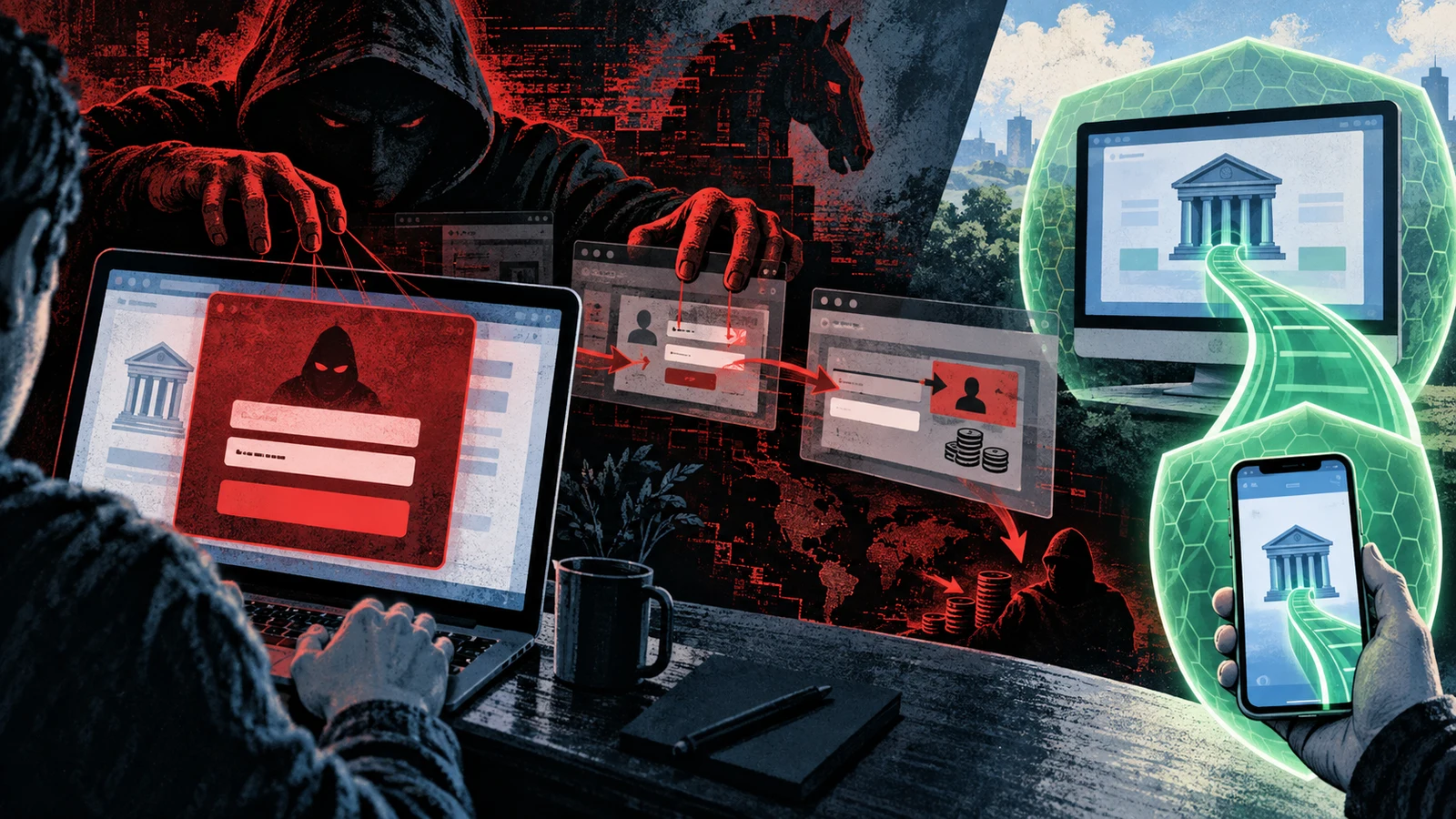
This is the deeper reason out-of-band confirmation matters so much. If the malware controls the browser, the screen, and the on-device messages, then every channel it can see can be faked. Only a confirmation that travels on a channel the malware does not touch, a separate hardware device or a call the user places to the bank, can be trusted to show the real payee and amount.
A worked example: an overlay attack on a phone
Following a mobile infection through its stages shows how quietly the whole thing operates.
- The lure. A user receives a text message claiming a parcel could not be delivered, with a link to track it. The link leads to a page offering a tracking app to download.
- Sideloaded install. The page walks the user through allowing installation from outside the official store, and the app installs. It looks plausible, with an icon and a name that fit a delivery service.
- The permission request. On first launch the app does almost nothing useful. Instead it shows a screen urging the user to enable accessibility services, framed as a step needed for the app to work. The user, wanting the promised function, grants it.
- Dormancy. The app now waits. It carries a target list of banking and payment apps. Nothing appears wrong, and the user forgets about the harmless tracking app that never quite worked.
- Activation. Days later the user opens their real banking app. The trojan, watching the screen through accessibility, recognises it and instantly draws a pixel-matched login overlay on top.
- Capture. The user types their credentials into the overlay, believing it is the bank. The malware records them and dismisses the overlay, and the real app appears behind it as if the user simply mistyped once.
- Second factor. When the bank sends a one-time code by SMS, the trojan reads it directly from the messages and forwards it to the operator, or auto-fills it, so the user never sees the warning the code was meant to be.
- The transfer. With credentials and the code, the operator authenticates as the user. On more capable families, accessibility is used to initiate and approve a transfer on the device itself, so the fraudulent instruction comes from the victim's own phone.
At no point did the user see an error, a broken screen, or an obvious sign of compromise. Every step happened inside apps and flows the user already trusted, which is the whole design.
Almost every mobile banking trojan converges on the same single moment: convincing the user to enable accessibility services. Before that grant the app is nearly harmless. After it, the app can read the screen, capture input, dismiss warnings, and drive taps. Everything upstream of that moment is social engineering aimed at earning the grant, and everything downstream is the fraud it unlocks. Withholding accessibility from anything bank-adjacent removes the hinge the whole attack turns on.
How banking trojans compare to related malware
Banking trojans overlap with other financial-crime malware, and the boundaries are worth drawing so an incident is scoped correctly.
| Malware | Core method | Where the theft happens | How it differs from a banking trojan |
|---|---|---|---|
| Banking trojan | Overlays and web injects inside a trusted session | On the victim's own device, in real time | The category in focus |
| Infostealer | Grabs saved passwords and cookies, then leaves | Later, wherever the operator reuses them | No live session manipulation; it collects and departs |
| Keylogger | Records keystrokes | Wherever captured input is replayed | A component many banking trojans include, not the whole strategy |
| Card skimmer | Captures card data at a payment page or terminal | At the point of entry | Targets card data at input, not the whole banking session |
| RAT | Interactive remote control of the device | Anywhere the operator directs | General-purpose control; a banking trojan is specialised for finance |
The distinguishing trait of a banking trojan is that it manipulates a live, authenticated session on the victim's own device. It does not simply collect a credential for later use. It steps into the moment money moves and steers it, which is what lets it defeat second factors and rewrite transactions.
Common misconceptions
A one-time code makes my account safe. One-time codes raise the bar, but banking trojans were built specifically to defeat them, by reading SMS on the device or by prompting the victim to hand the code over at the exact moment the attacker needs it. A code delivered to a compromised device is not a strong second factor.
The padlock and the real bank address mean the page is safe. With a web inject, the address bar and branding are genuine because the trojan modifies the real page after it loads. The injected fields carry the bank's styling. Trusting the visible page is exactly what the technique exploits.
Only careless people get infected. Delivery leans on ordinary, plausible lures: a parcel notice, a fake update, a popular app. The pivotal step, granting accessibility, is framed as a routine permission. Capable social engineering catches careful people too.
It only matters on Android. Android sees the most activity because of sideloading and accessibility abuse, but desktop banking trojans using web injects and man-in-the-browser techniques have a long history and remain active. Both platforms are targeted.
Cleaning the device undoes the fraud. Removing the malware stops further theft, but a transfer the malware already authorised is a completed transaction. Recovery runs through the bank, not through antivirus. The device cleanup and the financial response are separate tasks.
Detection signals
Because the trojan hides inside trusted flows, the signs are subtle and mostly behavioural.
- An app re-asking for login unexpectedly. A banking app that suddenly presents a fresh login screen when you were already signed in can be an overlay sitting on top of the real one.
- A banking page requesting far more than usual. A login page that also asks for a full card number, a PIN, or several one-time codes is a strong sign of a web inject adding fields the bank never sent.
- A phone dismissing its own security prompts. Warnings that flash and vanish, or permission dialogs that seem to answer themselves, point to accessibility being driven by malware.
- An app that demanded accessibility for no clear reason. Any recently installed app that pushed hard for accessibility services, especially one sideloaded from outside the store, deserves immediate suspicion.
- Unfamiliar transfers or payees. Small test transfers or payees you do not recognise in your history can indicate automated transfer activity.
- Battery, data, or performance changes after a sideloaded install. A background process watching the screen and beaconing out can leave faint resource traces.
Frequently asked questions
What is the difference between a banking trojan and an infostealer? An infostealer grabs saved credentials and cookies and leaves, and the theft happens later when the operator reuses them. A banking trojan stays on the device and manipulates the live banking session in real time, using overlays or web injects to capture data and steer money as the victim uses the account.
How does a banking trojan defeat two-factor authentication? On mobile it reads or forwards the one-time code straight from the device's messages, or auto-fills it, so the victim never sees the warning. On desktop it can show a fake confirmation prompt timed to the attacker's own login, tricking the victim into handing over the code that authorises the fraudulent session.
Why is Android the main target? Because Android allows sideloading apps from outside the official store and offers accessibility services that grant broad screen-reading and tapping powers. Together these let a trojan install through a lure and then, with one permission grant, control the banking session. The combination is what makes on-device automated fraud practical.
What is an overlay? A fake screen the malware draws on top of a real app. When the victim opens a targeted banking app, the trojan instantly covers it with a pixel-matched login screen. Credentials typed into the overlay go to the attacker, and control passes back to the real app so nothing looks wrong.
What is a web inject? A modification the trojan makes to a bank's real web page after it loads in the browser, inserting extra fields or scripts the bank never sent. Because the page, address, and branding are genuine, the victim trusts the added fields and enters card numbers, PINs, or codes the attacker wants.
If I think I am infected, what should I do? Stop using the device for banking. Move to a separate clean device, change your banking credentials from there, and contact the bank to review recent and pending transfers. Then remove the malicious app or rebuild the infected device. Cleaning the device alone does not reverse a transfer the malware already authorised.
Do banking trojans still matter with modern banking apps? Yes. Family names and codebases change, but the overlay and web-inject playbook stays constant because it targets the trust the user places in a session they believe they control. Out-of-band transaction confirmation and phishing-resistant authentication are what actually undercut the technique.
Banking trojans are not exotic. They win by sitting quietly on a trusted device and stepping into an ordinary banking session at the moment money moves. Withhold the accessibility grant, keep platforms current, and confirm transactions on a channel the malware does not own, and the whole model loses its footing.