RAT: Remote Access Trojans
A remote access trojan gives an attacker hands-on control of your machine: screen, files, webcam, keystrokes. How RATs work, spread, and how to detect them.
Imagine an attacker sitting at your computer. Not looking at a copy of your files, but at your actual desktop, moving your cursor, opening your folders, switching on your webcam, reading what you type as you type it. That is what a remote access trojan gives someone. A RAT turns your machine into a screen and keyboard the attacker operates from anywhere in the world, quietly, for as long as it stays undetected.
The name spells out the danger. It is a trojan, so it arrives disguised as something you wanted to run. It provides remote access, so the operator controls the machine from a distance. Put together, a RAT is one of the most flexible tools an attacker can plant, because once it is running, they are not limited to a single goal. They can decide later.
What makes a RAT different
Plenty of malware talks to a server. What sets a RAT apart is that the server is a human operator with a control panel, running an interactive session against your machine. A stealer grabs a bundle and leaves in seconds. A RAT stays, because its value is being able to come back and act with judgment.
| Property | Infostealer | RAT | Backdoor |
|---|---|---|---|
| Primary goal | Grab data fast | Interactive control | Preserve re-entry |
| Time on host | Seconds | As long as it stays hidden | Indefinite, often dormant |
| Operator involvement | Automated collection | Hands-on session | On demand |
| Typical persistence | Optional | Usually present | Its whole purpose |
A typical RAT gives the operator a menu of capabilities:
- File system access: browse, download, upload, and delete files.
- Keystroke logging to capture passwords and messages as they are typed.
- Screen capture and live screen viewing of what the victim is doing.
- Webcam and microphone access for surveillance.
- Remote shell, running arbitrary commands on the machine.
- Process and service control, starting and stopping software.
- Payload delivery, downloading and running more malware on demand.
That last point is why a RAT is often the beginning of a larger intrusion rather than the end. It is a foothold with hands.
The command-and-control channel
Every RAT needs a way to reach its operator, and every operator needs a way to reach the RAT. That two-way link is the command-and-control channel, often shortened to C2. It is the single most important thing to understand about a RAT, because it is both what makes the RAT useful and what most reliably gives it away.
Usually the infected machine reaches out to the attacker, not the reverse. The RAT "calls home" on a schedule, a pattern defenders call beaconing, checking in with the C2 server to ask for instructions. This outbound-first design is deliberate. Outbound connections slip through firewalls that block inbound ones, and a machine phoning out looks less suspicious than a server reaching in.
RATs work hard to make that traffic blend in. Common tricks include tunnelling over ordinary web ports, hiding commands inside normal-looking web requests, and routing through legitimate cloud services so the destination looks trustworthy. On MITRE ATT&CK this whole area is the Command and Control tactic, and RAT tooling itself maps to Remote Access Software (T1219). For a deeper look at how these channels are built and hidden, see Command and Control Explained.
Remote-administration software that IT teams use to support machines does exactly what a RAT does: remote screen, file transfer, remote shell. The technical capability is identical. What separates a support tool from a trojan is consent and intent. This is why attackers sometimes install legitimate remote-admin tools instead of custom malware, and why detection has to weigh context, not just the presence of a capability.
How RATs spread
RATs rarely rely on exotic exploits. Like most trojans, they depend on convincing a person to run them:
- Phishing attachments and links, the most common route, often wrapped in an abused file format.
- Fake or cracked software, bundling the RAT with something the victim wanted.
- Malvertising and poisoned downloads that serve a trojanised installer.
- Fake updates and paste-a-command lures that talk the user into executing a script.
The delivery file is almost always one of a small set of abused formats: a script, an archive, a disk image, a malicious document, a rogue installer. That choke point is the best place to stop a RAT before it ever runs, and our File-Format Abuse Atlas catalogues those formats and how to detect them.
The RAT lifecycle
A RAT infection generally moves through the same stages:
- Delivery and execution. The user runs the disguised file.
- Persistence. The RAT sets itself to survive a reboot, through a scheduled task, a registry run key, or a service.
- Check-in. It beacons to the C2 server and reports the new victim.
- Interactive control. The operator issues commands: reconnaissance, theft, or dropping more tools.
- Expansion. The RAT is used to move deeper into the network or hand the foothold to another actor.
The gap between check-in and action can be minutes or months. That patience is exactly what makes RATs dangerous and hard to catch on a single event.
How to detect a RAT
Because a good RAT tries to look like normal software, detection leans on behaviour and network signals more than on a fixed file signature.
Watch the network. Regular beaconing to an unfamiliar destination, connections to newly registered domains, or steady low-volume traffic to one host are classic C2 tells. Egress monitoring and alerting on outbound connections to unknown destinations catches many RATs at the channel.
Watch persistence. New scheduled tasks, run keys, or services that appear without a change record are worth investigating. Baseline what should auto-start and alert on additions.
Watch process behaviour. A document viewer spawning a shell, an unusual process reading webcam or screen APIs, or a signed-but-out-of-place remote-admin tool are all behavioural red flags that endpoint tools can surface.
Hunt the sensor access. Sudden use of the webcam, microphone, or screen-capture APIs by an unexpected process is a strong indicator of surveillance.
How to defend against RATs
Defense stacks across the whole chain, from delivery to the C2 heartbeat.
- Block delivery. Attachment filtering, application control, and sensible download policy stop the trojanised file before execution. User awareness of phishing and paste-a-command lures matters, because those bypass most technical controls.
- Control outbound traffic. Default-deny egress where you can, and monitor and alert on connections to unknown or newly registered destinations. A RAT that cannot reach its operator is inert.
- Enforce least privilege. A RAT running as a standard user can do less, and struggles to install robust persistence or reach other machines.
- Baseline and monitor persistence. Know what should auto-start, and treat new scheduled tasks, services, and run keys as events to check.
- Deploy behavioural endpoint detection. Signatures miss custom and legitimate-looking tools; behaviour catches the shell, the capture, and the beacon.
- Isolate and rebuild on confirmation. A RAT means hands-on access happened. Disconnect the host, preserve evidence, rebuild from trusted media, and rotate every credential the machine touched.
On a suspected RAT infection, your first move is to isolate the host from the network, not to reboot or start cleaning. Isolation severs the operator's live control immediately and preserves the machine's state for investigation. A reboot can tip off the attacker and destroy volatile evidence in memory.
Inside the C2 channel: how the beacon works
The command-and-control channel deserves a closer look, because understanding its shape is what lets you hunt it. A RAT beacon is a repeating conversation with a rhythm, and that rhythm is its weakness.
When a RAT checks in, it sends a small request to the C2 server and waits for a reply. If the operator has queued a command, the reply carries it. If not, the reply is empty and the RAT sleeps until the next check-in. This is why beaconing is so regular: an idle RAT with nothing to do still phones home on a fixed interval to stay reachable. That steady, low-volume, evenly spaced traffic to one destination is a pattern human web browsing almost never produces.
Operators know this, so better tooling adds jitter, a random variation in the sleep interval, so the check-ins are not perfectly periodic. It also varies packet sizes and wraps the traffic in ordinary-looking web requests. Some RATs go further and use domain fronting or route through legitimate cloud and content-delivery services, so the connection appears to go to a trusted provider while the real destination is hidden behind it. Others use domain generation algorithms, computing a fresh set of candidate domains each day so defenders cannot simply block one fixed address.
The channel also has to survive interruption. Many RATs carry a list of fallback C2 addresses, so if the primary is taken down the malware rotates to the next. This resilience is why blocking a single indicator rarely kills a capable RAT for long, and why egress control that denies unknown destinations by default outperforms chasing individual addresses.
A walkthrough: a RAT infection from click to control
Following one infection through its stages makes the abstract lifecycle concrete.
- The lure lands. A finance employee receives an email that looks like an invoice, with an archive attached. Inside is a file that appears to be a document but is a script or executable.
- Execution. The employee opens it. The visible content might be a decoy document that opens normally, while in the background the real payload runs. Nothing looks wrong on screen.
- Persistence is set. Within seconds the RAT writes itself somewhere it will survive a reboot, for example a scheduled task that runs at logon or a registry run key, often under an innocuous name that blends in with legitimate entries.
- First check-in. The RAT resolves its C2 address and beacons out over an ordinary web port. The operator's panel shows a new victim with the hostname, username, operating system, and privileges.
- Reconnaissance. The operator, or an automated script, enumerates the machine: who is logged in, what privileges they hold, what other systems are reachable, what security tools are present.
- Objective. Depending on the target, the operator harvests credentials, captures the screen while the user works, reads files, or downloads a second-stage tool. If the machine sits on a valuable network, the RAT becomes the launch point for lateral movement.
- Handoff or expansion. The foothold may be widened by the same actor, or sold and handed to another crew who takes the intrusion further.
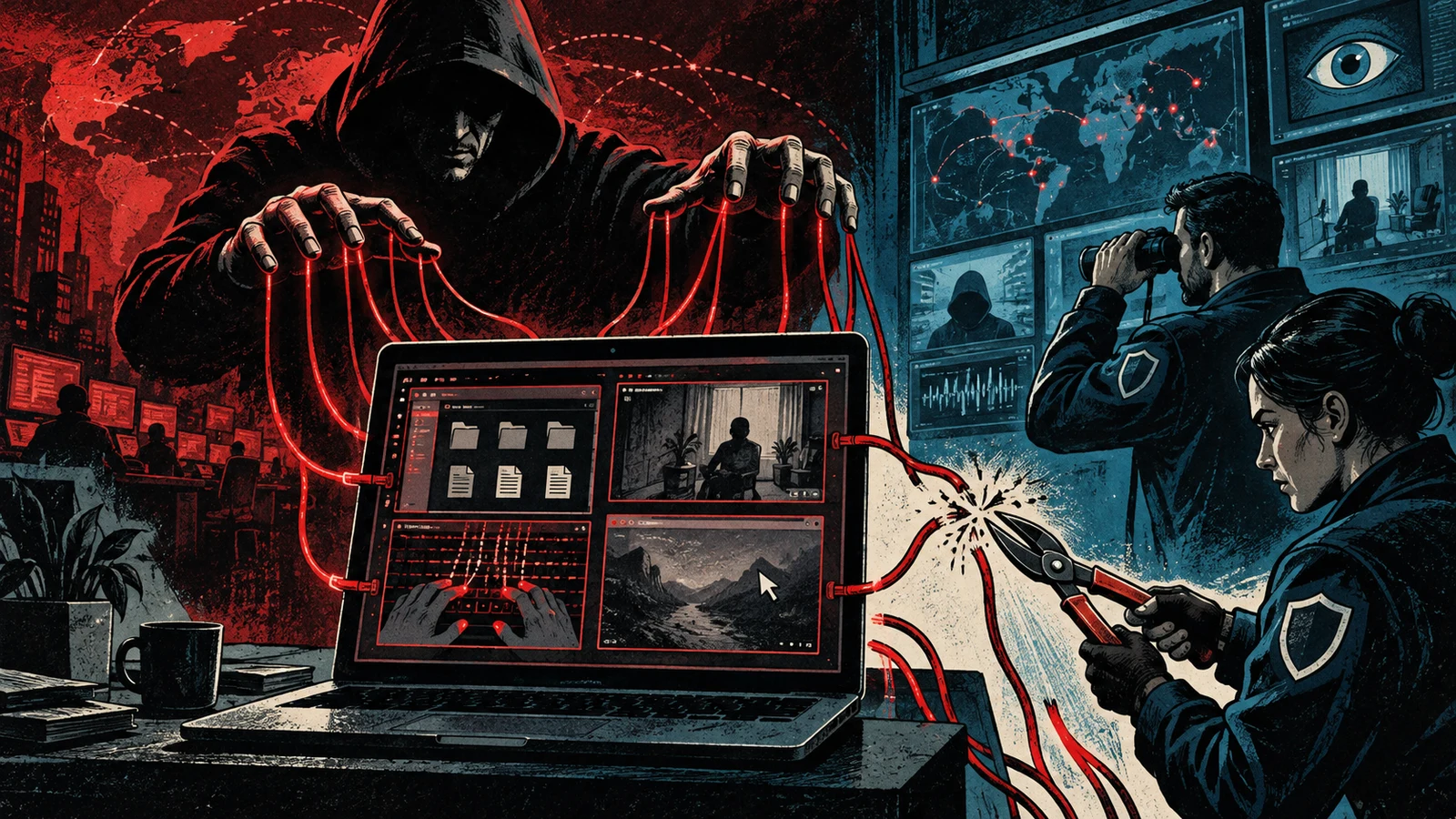
The dwell time between check-in and action is the dangerous part. A RAT can sit quietly for weeks, indistinguishable from idle software, until the operator decides the moment is right.
A RAT is frequently the first stage of a larger operation rather than the objective itself. Its payload-delivery capability means it can pull in credential stealers, ransomware, or post-exploitation frameworks on demand. When you find a RAT, the right assumption is that it was a doorway, and the question becomes what came through it and where the operator went next.
RATs versus related malware
RAT is a fuzzy term in casual use, and it overlaps with other categories. Drawing the lines helps you scope an incident correctly.
| Category | Core purpose | Operator role | Relationship to a RAT |
|---|---|---|---|
| RAT | Interactive remote control | Hands-on, in real time | The category itself |
| Backdoor | Preserve a way back in | On demand, often dormant | A RAT usually includes backdoor persistence |
| Infostealer | Grab data quickly and leave | Automated, minimal | A RAT can deploy one as a payload |
| Botnet agent | Enroll the host in a large controlled fleet | Broadcasts commands to many | A RAT can be one node; botnets favor automation over hands-on control |
| Legitimate remote-admin tool | Support and manage machines | Authorized administrator | Technically identical, separated by consent |
The overlap is the point. A single implant can be described as a RAT, a backdoor, and a botnet node at once, depending on which capability you emphasize. What matters for response is that interactive control was possible, which is the RAT property.
Common misconceptions
Antivirus will catch it. Signature-based detection catches known, unchanged samples. RATs are often recompiled, packed, or built from frameworks that produce a fresh binary each time, and attackers sometimes use legitimate signed remote-admin tools that no signature will flag. Behavioral detection and network hunting matter more than a static signature.
A firewall stops it. Traditional firewalls block inbound connections, but a RAT calls outbound, which is exactly why the outbound-first design exists. Without egress control that restricts where machines may connect, the firewall waves the beacon through.
Rebooting fixes it. Persistence is a standard RAT feature precisely so a reboot does not help. The RAT comes back at the next logon or service start. A reboot can also alert the operator and destroy volatile evidence in memory.
It only matters if data was stolen. A RAT means someone had interactive access to the machine and everything it could reach. Even if you find no obvious theft, credentials may be compromised and the foothold may have been used to reach other systems. The access itself is the incident.
Standard users are safe. Running as a standard user limits a RAT, which is genuinely useful, but it does not neutralize one. Plenty of valuable actions, reading files, capturing the screen, harvesting the user's own credentials, need no elevation at all.
How RATs evolved
Remote control tools are almost as old as networked computers, and the line between administration and abuse was blurry from the start. Early remote-access trojans in the consumer era were often crude novelty tools that let one person prank or spy on another. They established the template that persists today: a client the victim runs and a server console the operator drives.
Over time the tooling professionalized. Crimeware RATs were sold as products with support and updates, lowering the skill needed to run a campaign. Nation-state and espionage actors built quieter, more targeted implants focused on staying hidden for long periods. The capability menu converged, because file access, keylogging, screen capture, and a remote shell are what any operator wants, and the differences moved into evasion: how well the C2 traffic blends in, how the implant hides on disk and in memory, and how it resists analysis.
The most consequential shift is the blurring with legitimate software. Attackers increasingly install real, signed remote-management tools instead of custom malware, because those tools do everything a RAT does and carry a trusted signature that defeats naive detection. This is why modern defense weighs context and behavior. A remote-admin tool is not malicious by nature, so the question becomes whether its presence and use fit the environment.
Detection signals at a glance
Pulling the indicators together, these are the concrete signals a hunt should prioritize, grouped by where they show up.
| Layer | Signal | Why it points to a RAT |
|---|---|---|
| Network | Regular, low-volume beacons to one destination | The idle check-in rhythm of a C2 channel |
| Network | Connections to newly registered or algorithmically generated domains | Fresh or rotating C2 infrastructure |
| Persistence | New scheduled tasks, run keys, or services with no change record | The RAT securing survival across reboots |
| Process | A document viewer or office app spawning a shell | Payload execution from a delivery lure |
| Sensor | Unexpected process reading webcam, microphone, or screen APIs | Active surveillance of the victim |
| Software | Remote-admin tools present with no operational reason | An attacker living off legitimate tooling |
No single signal is proof. The strength comes from correlation: a new scheduled task that launches a process which then beacons on a fixed interval to a domain registered last week is a far more confident finding than any one of those alone. Building detections that join persistence, process lineage, and network behavior together is what catches capable RATs that each individual sensor would miss.
Frequently asked questions
What is the difference between a RAT and a virus? A virus is defined by how it spreads, by attaching to and infecting other files. A RAT is defined by what it does, giving an operator remote control. A RAT arrives as a trojan, disguised as something wanted, rather than by self-replicating infection.
Can a RAT turn on my webcam without the light? Many RATs can access the webcam, and on some systems the indicator light is harder to suppress than on others. The safe assumption with a confirmed RAT is that the camera, microphone, and screen were all reachable, and to treat anything the machine could see or hear as potentially captured.
How do I know if I have a RAT? Look for the behavioral signs rather than a single file: regular outbound connections to an unfamiliar destination, new scheduled tasks or services you did not create, unexpected processes accessing the camera or screen, and remote-admin tools you did not install. Endpoint detection and egress monitoring surface these far more reliably than scanning for a known file.
Is a remote-admin tool a RAT? Technically it has the same capabilities. The difference is authorization. A tool your IT team installed and uses with your knowledge is administration. The same tool planted covertly by an attacker is a RAT. This is why detection has to weigh context, since the presence of the software alone settles nothing.
What should I do first if I suspect a RAT? Isolate the machine from the network before anything else. That cuts the operator's live control and preserves evidence. Do not reboot or start deleting files, because that can tip off the attacker and destroy volatile data in memory that an investigation needs.
Will reinstalling the operating system remove a RAT? A clean rebuild from trusted media removes the implant from that machine, but it does not undo what already happened. Any credential the machine handled should be considered compromised and rotated, and you need to determine whether the foothold was used to reach other systems.
Why do attackers use RATs instead of just stealing data and leaving? Because control is more valuable than a single grab. A RAT lets the operator return, react to what they find, and decide their objective later. That flexibility, and the ability to pull in more tools on demand, is worth the extra risk of staying resident.
Can a RAT spread to other machines on my network? On its own a RAT is a foothold on one host, but its remote-shell and payload capabilities let the operator move to other machines using stolen credentials and reachable services. Treat a confirmed RAT as a possible starting point for lateral movement and check what else the host could reach.
A RAT is a patient, general-purpose foothold: whatever the attacker decides they want, later, with a human at the controls. Because the capabilities overlap with legitimate remote-admin tools, you cannot rely on a signature alone. Stop the delivery, deny the machine an easy way to phone home, watch persistence and behaviour, and when you confirm one, assume a person had their hands on the box and respond accordingly.